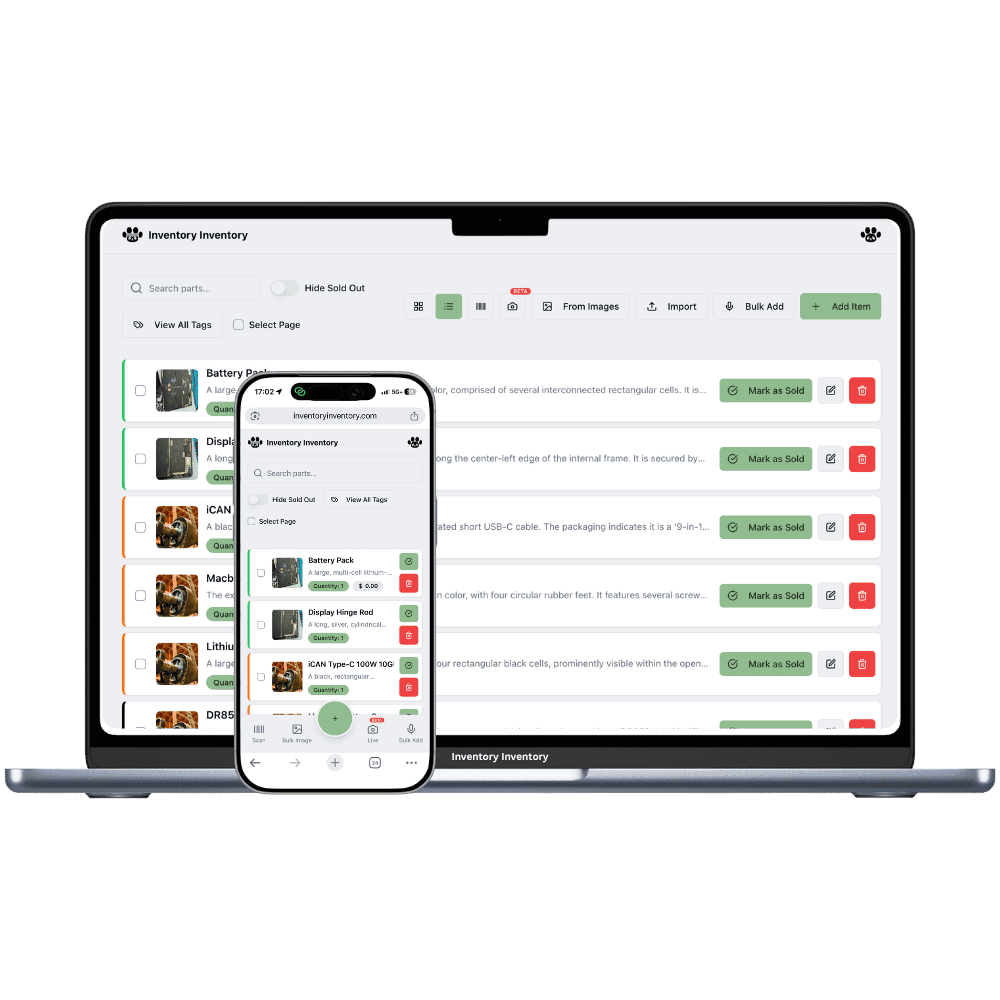
Tubes in a dozen sizes, a drawer of hangers that each fit one frame, and a spring rush that empties the wall. Inventory Inventory keeps every part on its hook and every count current.
A bike shop runs two businesses under one roof: a sales floor of complete bikes, helmets and lights, and a service department that eats tubes, cables, chains and brake pads. The small parts are the hard part. Inner tubes come in a dozen size and valve combinations, tires in three wheel standards, and derailleur hangers in dozens of shapes that each fit a handful of frames. In April the service queue is booked two weeks out, and a mechanic who reaches for a 29 inch Presta tube and finds an empty hook loses half an hour.
Inventory Inventory gives each part a record and a place. Add Brand, Model number and Supplier SKU from the field library on every plan, so a hanger is filed under the frames it fits. Draw the sales floor, the service area and the basement in Warehouse Mode, also on every plan, and hang each part on its aisle and floor. Register a phone at the service stand as a scanner station on any paid plan, so parts are scanned out as they are fitted, and connect Square on Pro and above so floor sales deduct within seconds.
Where the counts go wrong
Tubes and tires in every size
A 700 × 32 tube and a 700 × 25 tube look the same in the box. Keep each size and valve as its own item with a Wheel size custom field, on every plan, and tick values in the field filter to see the whole 29 inch range at once. On Pro and above, a size that crosses its reorder level drafts a purchase order for your approval.
Derailleur hangers nobody can match
A customer’s bent hanger arrives in a bag with no name. Give each hanger its Brand and Model number on every plan, and on Pro and above photograph a new one with Add Item so the AI fills what it can for you to confirm. Each hanger sits in a drawer you can find on the map, not in a coffee can.
Spring stock buried in the basement
Fenders and studded tires spend summer in the basement, and spring bikes spend winter boxed. Draw the basement as its own warehouse in Warehouse Mode, on every plan, fill a Season field, and when the weather turns, filter by Season and use Move to… to bring the range up to the floor in one action.
The first warm Saturday in March
A bike shop in Nanaimo opens at 9 to a queue of tune-ups. The owner, on the Super plan, moved the spring range up from the basement on Thursday by filtering the Season field and using Move to…. Mechanics scan each tube, chain and set of pads out at the stand station in Leaving mode as they fit them, and the counts fall as they work. A customer buys a helmet and two lights through Square, which deducts here seconds later. At 2 pm the 700 × 32 tubes cross their reorder level and a draft purchase order for the distributor appears in the bell. Before closing, the AI Analyst lists the slowest-moving accessories on the floor so the owner can plan the next order with the distributor.
How it works
1
Sort the parts by size and model
Import your parts list on Pro and above, or scan items in. Turn on Brand, Model number, Supplier SKU, Cost price, Reorder level and a Wheel size or Season custom field.
2
Map the floor, the service area and the basement
Draw each space as a warehouse, add aisles with floors for the tube wall and the hanger drawers, and place each item. Register a stand phone as a scanner station in Leaving mode.
3
Let service and sales keep the count
Scan parts out at the stand on any paid plan, connect Square on Pro and above for floor sales, and let reorder levels draft orders before the spring rush empties the wall.
Frequently asked questions
How should a bike shop track tubes and tires by size?
Treat each size and valve combination as its own item, since sizes are not grouped as variants, and add a Wheel size custom field to filter by. In the field filter, tick 29 inch and 27.5 inch together to see both ranges with their counts. A reorder level on each, on Pro and above, drafts a purchase order before a size runs out.
Can parts used in bike repairs come off the count automatically?
They come off when they are scanned. Register a phone or gun at the service stand as a scanner station in Leaving mode, on any paid plan, and each scan deducts one from the part with the mechanic’s name and time in the activity log. There is no link to service tickets, so the scan is the record.
Does bike shop inventory software work with Square?
Inventory Inventory connects to Square on Pro and above. Completed Square sales, in store or online, deduct here within seconds, and a count changed here updates Square. Items match by barcode, then SKU, then name, and Square items must be set to track by stock. Complete bikes sync like any other item.
Is there a free plan?
Yes. The Free plan holds up to 50 items with barcode scanning and custom item fields, and it needs no credit card. Upgrade only when you outgrow it.
Does it work on phones?
Yes. There are apps for iPhone and Android that turn your phone into a barcode scanner and show your live stock on the floor. Create your account on the web first, then sign in to the app with the same account.
Can I import my existing list?
Yes, on Pro and above: upload an Excel or CSV file and your columns are mapped automatically: name, quantity, price, barcode, SKU, cost, supplier, category, reorder level, expiry date and lot number. You review everything before it is saved.