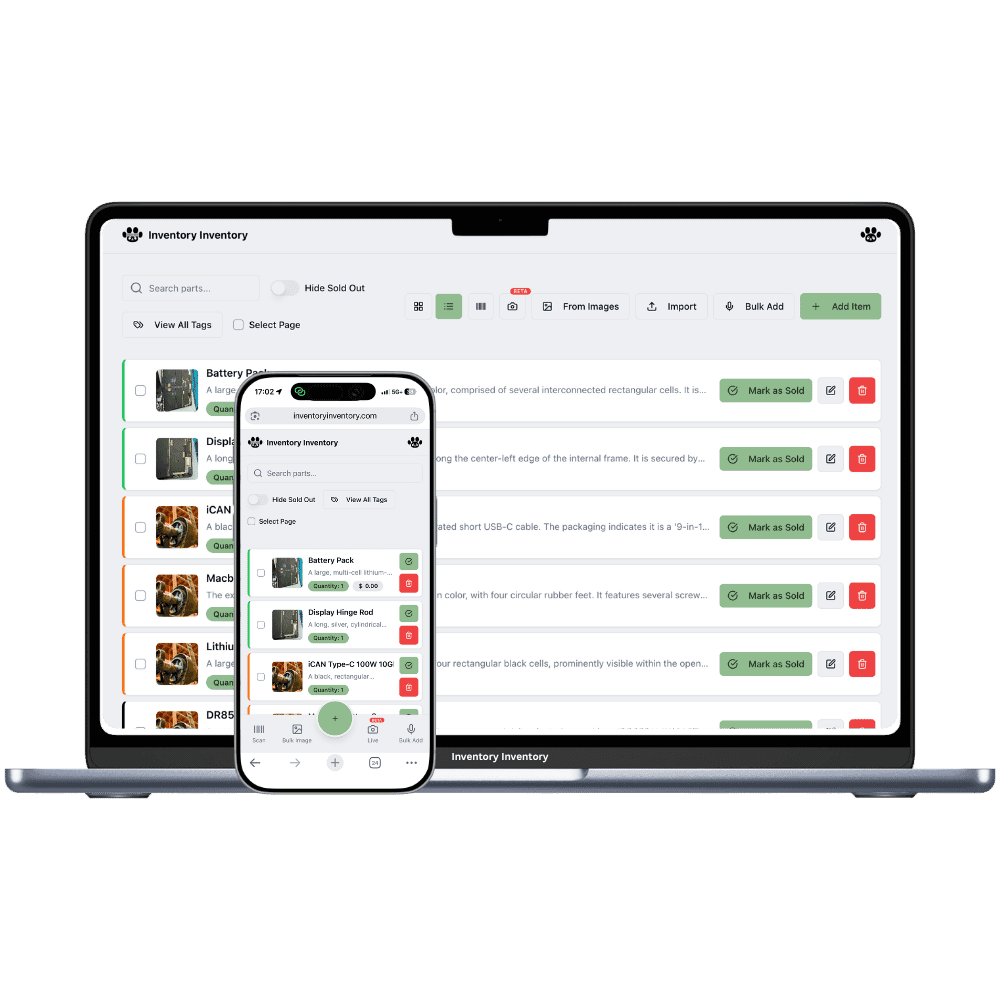
Thousands of small parts, the same bolt bought at three different prices, and a back room nobody can search. Inventory Inventory gives every product a place on the map and every delivery its own cost.
A hardware store carries more distinct things than almost any shop its size: bins of loose deck screws and carriage bolts, plumbing fittings in a dozen diameters, paint by the gallon, furnace filters by size, and a wall of seasonal stock that changes twice a year. Most of it has a manufacturer barcode and some of it never did. The busiest counts happen in an aisle with a customer waiting. The hard part is rarely knowing what you sell. It is knowing how many are left, where the overflow went, and what the last box really cost.
Inventory Inventory starts from the stock list you already keep. Import your spreadsheet on Pro and above and the AI maps your columns, including SKU, supplier, cost and reorder level. Draw the sales floor and the back storage unit in Warehouse Mode, which every plan includes, and place each product on its aisle and floor so a new hire finds the 3/8 inch lag bolts on their first shift. Give unlabelled bins a generated barcode and print sheets of twelve on Pro and above. Then scans, the phone apps and, on Pro and above, Square sales keep the count right.
Where the counts go wrong
The same part, bought at three different prices
Carriage bolts bought in spring, summer and fall rarely cost the same. With cost per lot, on every paid plan, each delivery is a lot under the one item with its own unit cost, and the editor shows the value at cost and the weighted average of what is left. Lots without an expiry date leave oldest first, and receiving a purchase order stamps the new lot with the line’s cost.
Loose fasteners sold by the pound
Deck screws come in by the box and leave by the scoop. Set the Unit of measure field to lb or box (custom fields are on every plan, Free included) so everyone counts the bin in whole pounds the same way, then give it a reorder level: on Pro and above, crossing it drafts a purchase order to that supplier for your approval instead of leaving an empty bin.
Seasonal stock lost in the back storage unit
Snow shovels and ice melt spend half the year in the back. Draw the storage unit as its own warehouse with aisles and floors in Warehouse Mode, on every plan, and fill a Season custom field on each product. In October, filter by Season, select the winter range and use Move to… to send it to the front aisles in one action.
The first cold Saturday of October
At 7:40 am the owner of a hardware store in Winnipeg, on the Super plan, filters the inventory by the Season field, ticks Winter, and uses Move to… to send the snow shovels, ice melt and block heater cords from the back storage unit to aisle 4. At 9 the carriage bolt delivery arrives; receiving the purchase order adds a third lot at the cost on the order line beside the two older ones. By noon Square has sold forty pounds of deck screws, the bin crosses its reorder level, and a draft purchase order for that supplier waits in the bell. A part-time clerk restocks furnace filters with the phone at the receiving door station. Before closing, the AI Analyst answers what the bolt stock is worth at cost, worked out lot by lot.
How it works
1
Bring in your stock list
Import your spreadsheet on Pro and above, or add items by photo, voice or scan. Turn on the Cost price, Lot number, Unit of measure and Reorder level fields, and generate barcodes for the bins that never had one.
2
Map the floor and the back unit
Draw the store and the storage unit as warehouses, add aisles with their floors, and drag each product onto its shelf. Put a scanner station at the receiving door so deliveries are counted where they arrive.
3
Let sales and deliveries keep the count
Connect Square on Pro and above so every sale deducts here within seconds, receive each purchase order as a lot with its cost, and let reorder levels draft the next order for your approval.
Frequently asked questions
How do I track inventory cost when I buy the same item at different prices?
Keep the item once and record each delivery as a lot with its own unit cost. In Inventory Inventory this is cost per lot, on every paid plan: the item shows the value at cost and the weighted average cost of the lots that are left, and lots without an expiry date leave oldest first, so parts that never expire are first in, first out. Each sale and scan records which lots it took.
What is the best way to track nuts, bolts and screws sold by the pound?
Count each bin in one unit everyone agrees on. Set the Unit of measure field to lb for loose fasteners or box for packaged ones, keep quantities in whole pounds or boxes, and set a reorder level. On Pro and above, a bin that crosses its reorder level drafts a purchase order to its supplier, and nothing is sent until you approve it.
Does hardware store inventory software work with Square?
Inventory Inventory connects to Square on Pro and above. A completed Square sale, in store or online, deducts stock here within seconds, and a count changed here updates Square. Items are matched by barcode, then SKU, then name, and Square items need to be set to track by stock. Refunds are not restocked automatically for the time being; adjust the count in either system.
Is there a free plan?
Yes. The Free plan holds up to 50 items with barcode scanning and custom item fields, and it needs no credit card. Upgrade only when you outgrow it.
Does it work on phones?
Yes. There are apps for iPhone and Android that turn your phone into a barcode scanner and show your live stock on the floor. Create your account on the web first, then sign in to the app with the same account.
Can I import my existing list?
Yes, on Pro and above: upload an Excel or CSV file and your columns are mapped automatically: name, quantity, price, barcode, SKU, cost, supplier, category, reorder level, expiry date and lot number. You review everything before it is saved.