Inventory software for

Industrial and MRO supply that count every shelf

Thousands of part numbers, the same bearing bought at four prices, and orders that have to leave today. Inventory Inventory maps every rack and keeps each lot at its own cost.

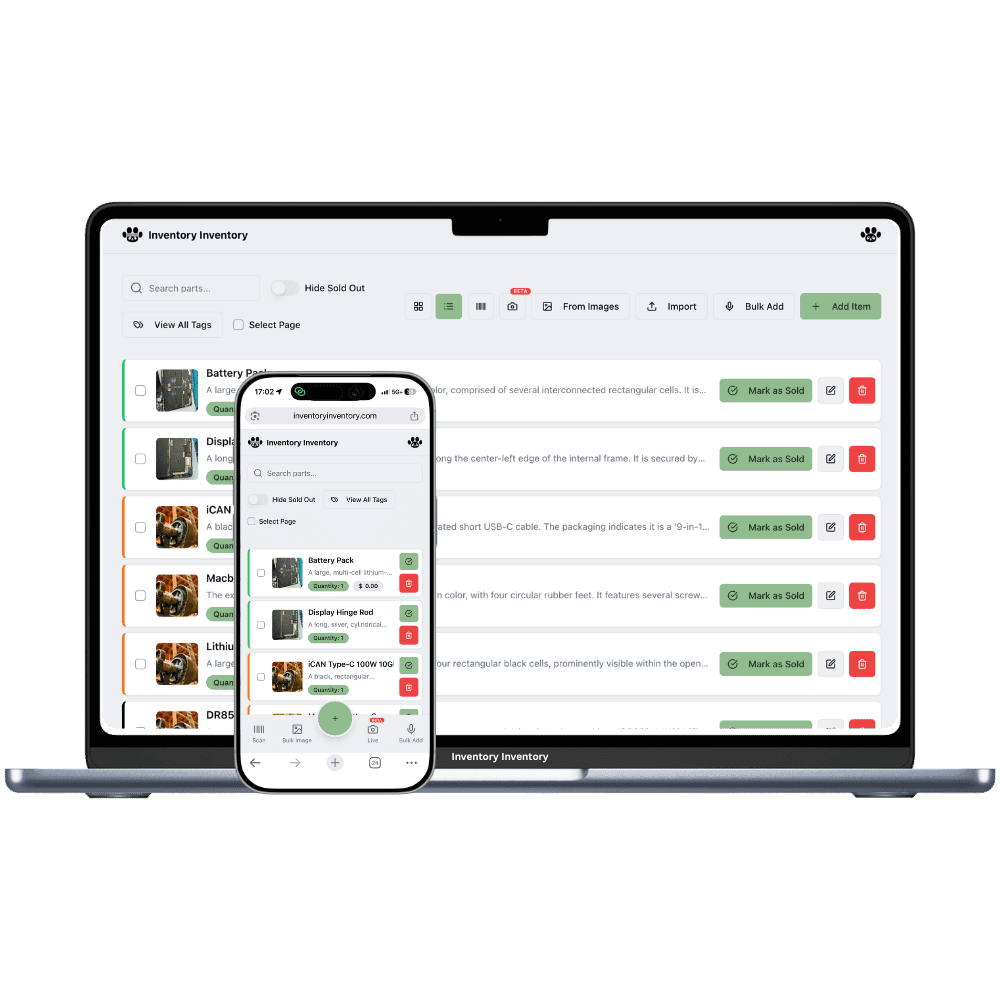
Inventory Inventory inventory software shown for industrial and MRO supply houses on a laptop and a phone

What industrial and MRO supply houses stock

  • Ball and roller bearings by part number
  • V-belts and timing belts
  • Hydraulic hoses and fittings
  • Grade 8 bolts and metric fasteners
  • Cutting discs, drill bits and abrasives
  • Safety glasses, gloves and hearing protection
  • Industrial lubricants and greases
  • Electric motors and couplings

How industrial and MRO supply houses keep count

An industrial and MRO supply house sells uptime. When a conveyor bearing fails at a mine or a mill, the maintenance crew calls with a part number and needs the part on a truck within hours. The counter carries bearings, belts, hydraulic hoses, grade 8 and metric fasteners, abrasives, safety supplies and lubricants, often in several brands of the same size. Many parts cost a different amount every time they are bought, and a shelf count that is off by two can lose the order. Racks run high and deep, and the overflow sits on pallets.

Inventory Inventory files each part with its Brand, Model number, SKU and Supplier SKU from the field library on every plan, and draws the racks, the mezzanine and the pallet area in Warehouse Mode on every plan, floor by floor. With cost per lot, on every paid plan, each delivery keeps its own unit cost. Sales orders, on VIP and above, reserve stock when confirmed, open a pick list sorted by aisle and floor, and deduct the shipped lots when the box is handed to Purolator, Canada Post or another listed carrier.

Where the counts go wrong

The same bearing at four different prices

Bearings and belts cost a different amount every buy. With cost per lot, on every paid plan, each delivery is a lot under one item with its own unit cost, and the item shows the value at cost and the weighted average of what is left. Lots without an expiry leave oldest first, and receiving a purchase order stamps the lot with the line’s cost.

Rush orders picked from memory

With Orders on VIP and above, confirming a sales order reserves the stock so nobody sells it twice, and the pick list sorts lines by warehouse, aisle and floor. Each pick records who and when, and the order label prints as a Code 128 barcode on a 4 × 2 inch page.

Part numbers that differ by one character

A 6205-2RS and a 6205-ZZ sit side by side. Keep Brand, Model number and Supplier SKU on every part, on every plan, and give each its own barcode: parts without one get a generated 13-digit code, printed in sheets of twelve on Pro and above. A scan with a gun or camera opens the exact part.

A conveyor down at 6 am

At 6:10 on a Tuesday, the maintenance crew at a sawmill calls an industrial and MRO supply house in Sudbury: a conveyor is down and they need two bearings, a V-belt and a coupling. The counter, on the VIP plan, creates a sales order and confirms it, which reserves the parts so the afternoon counter cannot sell them twice. The picker follows the list aisle by aisle, the order notes each pick, and the box leaves with Purolator by 7:30; handing it over deducts the stock and records which bearing lot shipped. Mid-morning a bearing delivery is received against its purchase order as a new lot at the cost on the order line; the owner updated the Cost price before the draft was made. Before closing, the AI Analyst answers what the bearing stock is worth at cost.

How it works

1

Load the catalogue

Import your parts list on Pro and above, with SKU, supplier, cost and reorder level mapped by the AI, and Brand, Model number and Supplier SKU columns filling the matching fields.

2

Map the racks and the pallet area

Draw each rack run as an aisle with its floors, plus the mezzanine and pallet area, and place each part. Set a receiving station at the dock and a shipping station at the door.

3

Run orders and purchasing

On VIP and above, confirm sales orders to reserve stock and pick by aisle. Receive purchase orders as lots at their cost, and let reorder levels draft the next order for approval.

Frequently asked questions

How does MRO inventory software handle parts bought at different prices?

Keep the part once and receive each buy as a lot with its own unit cost. Cost per lot, on every paid plan, shows the value at cost and the weighted average cost of what is left, and lots without an expiry date leave oldest first. Each sale, scan and shipped order records which lots it took. Cost of goods sold is not written on sales yet.

Can I take orders by phone and pick them from the racks?

Yes, with Orders on VIP and above. Create a sales order, confirm it to reserve stock, and pick from a list sorted by warehouse, aisle and floor; each line records the picker and time. Pack, label and hand it to a carrier such as Purolator, UPS or Canada Post, or mark it for customer pickup. Picking is done in the web app, in a phone browser if you like.

Is there an API for stock levels and orders?

The REST API, on Pro and above, returns the items you mark Include in API and subtracts quantities on a POST; sales orders through the API are on VIP and above. The API cannot create items or add stock. Monthly calls on the current plans run from 1,000 on Pro to 200,000 on Space.

Is there a free plan?

Yes. The Free plan holds up to 50 items with barcode scanning and custom item fields, and it needs no credit card. Upgrade only when you outgrow it.

Does it work on phones?

Yes. There are apps for iPhone and Android that turn your phone into a barcode scanner and show your live stock on the floor. Create your account on the web first, then sign in to the app with the same account.

Can I import my existing list?

Yes, on Pro and above: upload an Excel or CSV file and your columns are mapped automatically: name, quantity, price, barcode, SKU, cost, supplier, category, reorder level, expiry date and lot number. You review everything before it is saved.

More than one store?Multi-location inventory for industrial and MRO supply houses

Features industrial and MRO supply houses use

Ready to try it?

Start free with 50 items, no credit card: scan or type them in, or import your spreadsheet on Pro and above.

Another kind of shop? See every store type.