Inventory software for

Plumbing and electrical contractors that count every shelf

Fittings on five vans, cable by the roll, and a shop shelf that empties every Monday. Inventory Inventory maps the shop and each van and keeps one count per place.

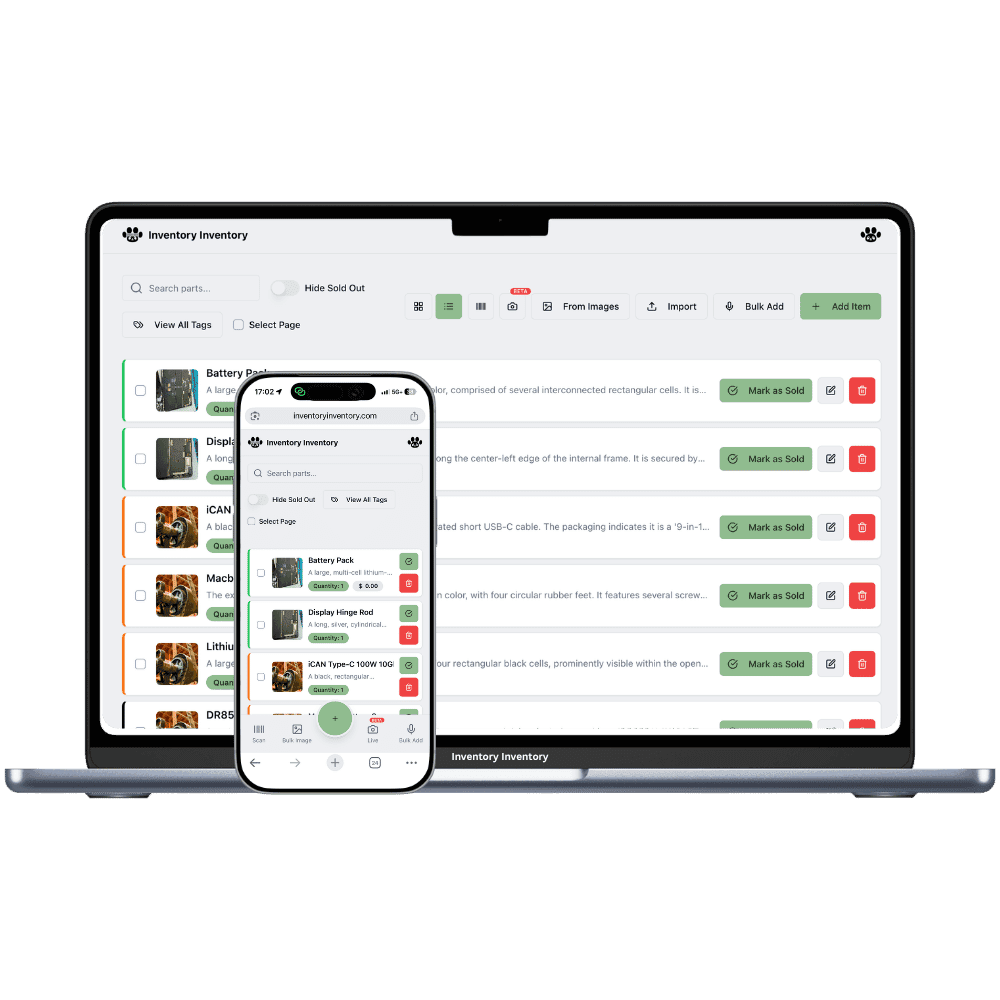
Inventory Inventory inventory software shown for plumbing and electrical contractors on a laptop and a phone

What plumbing and electrical contractors stock

  • PEX pipe, crimp rings and fittings
  • Copper elbows, tees and couplings
  • Water heater elements and anode rods
  • Shut-off valves and P-traps
  • 14/2 and 12/2 cable by the roll
  • Breakers, receptacles and boxes
  • Wire connectors and staples by the box
  • Sump pumps and backflow preventers

How plumbing and electrical contractors keep count

A plumbing or electrical contractor carries a store on wheels. Each van holds its own stock of PEX fittings, crimp rings, shut-off valves, breakers, receptacles and boxes, and the shop holds the bulk: rolls of cable, lengths of pipe, water heater parts and the odd sump pump. Mondays start with every van restocking from the same shelves, and by Thursday nobody is sure what is on which van. Copper and cable prices move month to month, and a job quoted on last spring’s cost can lose its margin before the rough-in is done.

Inventory Inventory draws the shop and each van as warehouses, on every plan, so a coupling on van 2 has its own record and count. Set Unit of measure to box, pack, m or ft from the field library on every plan, so connectors count by the box and cable by the roll the same way everywhere. Team members, on Super and above, adjust their van’s counts from the free phone apps, and on Pro and above reorder levels draft the shop’s purchase orders for your approval.

Where the counts go wrong

Every van a different stock

Each van is a warehouse in Warehouse Mode, on every plan, so the same fitting on two vans is two records with their own counts, and the inventory list warns you so it is on purpose. Give each van’s records a reorder level for a full van, and on Pro and above the AI Analyst lists what each van is short of before Monday’s restock.

Copper and cable at a new price every month

Receive each delivery of copper fittings or cable as a lot with its own unit cost, using cost per lot on every paid plan. The item shows the value at cost and the weighted average of what is left, lots without an expiry leave oldest first, and receiving a purchase order stamps the lot with the line’s cost.

Small parts counted three different ways

Wire connectors come by the box, crimp rings by the bag, breakers by the piece. Set the Unit of measure field on every plan, Free included, so the shop and every van count the same item the same way, and keep quantities in whole boxes, packs or pieces.

Monday restock before the first call

At 6:45 on a Monday in Hamilton, the owner of a plumbing contractor, on the Super plan, asks the AI Analyst which van records are under their reorder level. Van 3 is short on 1/2 inch PEX elbows and shut-off valves. A plumber restocks it from the shop shelf and updates both counts from the phone app before leaving for the first call. At ten, a delivery of copper fittings is received against its purchase order as a new lot at the cost on the order line, beside last month’s lot. By two, the crimp rings at the shop cross their reorder level and a draft purchase order for the supplier waits in the bell for approval. The activity log shows each van change with the plumber’s name and the time.

How it works

1

List the shop stock

Import your materials sheet on Pro and above, or scan items in. Turn on Unit of measure, Cost price, Supplier SKU, Reorder level and Lot number for copper and cable.

2

Draw the shop and every van

Draw the shop’s aisles and floors, then each van as a warehouse with its shelves. Add the parts each van carries as that van’s own records with their own reorder levels.

3

Restock from the phone

Team members, on Super and above, adjust their van’s counts from the free apps, and reorder levels on Pro and above draft the supplier order for your approval.

Frequently asked questions

How do contractors track stock on service vans?

Draw each van as a warehouse, on every plan. A part carried on several vans is one record per van, each with its own count and reorder level, which is how a van’s stock stays honest. Team members, on Super and above, update their van from the free phone apps, and the activity log records every change with the person and time.

How do I track wire and cable sold by length?

Quantities are whole numbers, so count cable by the full roll, such as a 75 m roll of 14/2, with Unit of measure set to pcs. If you sell cut lengths, keep the cut cable as a separate item counted in whole metres with Unit of measure set to m. Both can carry a reorder level.

Can I see what my copper stock is worth?

Yes, with cost per lot on every paid plan. Each delivery of copper fittings or cable is a lot with its own unit cost, and the item shows the value at cost and the weighted average cost of what is left. The inventory list’s valuation strip adds each lot at its own cost, and the AI Analyst, on Pro and above, answers the same question in plain language.

Is there a free plan?

Yes. The Free plan holds up to 50 items with barcode scanning and custom item fields, and it needs no credit card. Upgrade only when you outgrow it.

Does it work on phones?

Yes. There are apps for iPhone and Android that turn your phone into a barcode scanner and show your live stock on the floor. Create your account on the web first, then sign in to the app with the same account.

Can I import my existing list?

Yes, on Pro and above: upload an Excel or CSV file and your columns are mapped automatically: name, quantity, price, barcode, SKU, cost, supplier, category, reorder level, expiry date and lot number. You review everything before it is saved.

More than one store?Multi-location inventory for plumbing and electrical contractors

Features plumbing and electrical contractors use

Ready to try it?

Start free with 50 items, no credit card: scan or type them in, or import your spreadsheet on Pro and above.

Another kind of shop? See every store type.