
Both stores, free
Native apps for iPhone and Android, no extra charge on any plan.
Native companion apps on the App Store and Google Play. Turn any phone into a barcode scanner and carry your live inventory onto the floor.
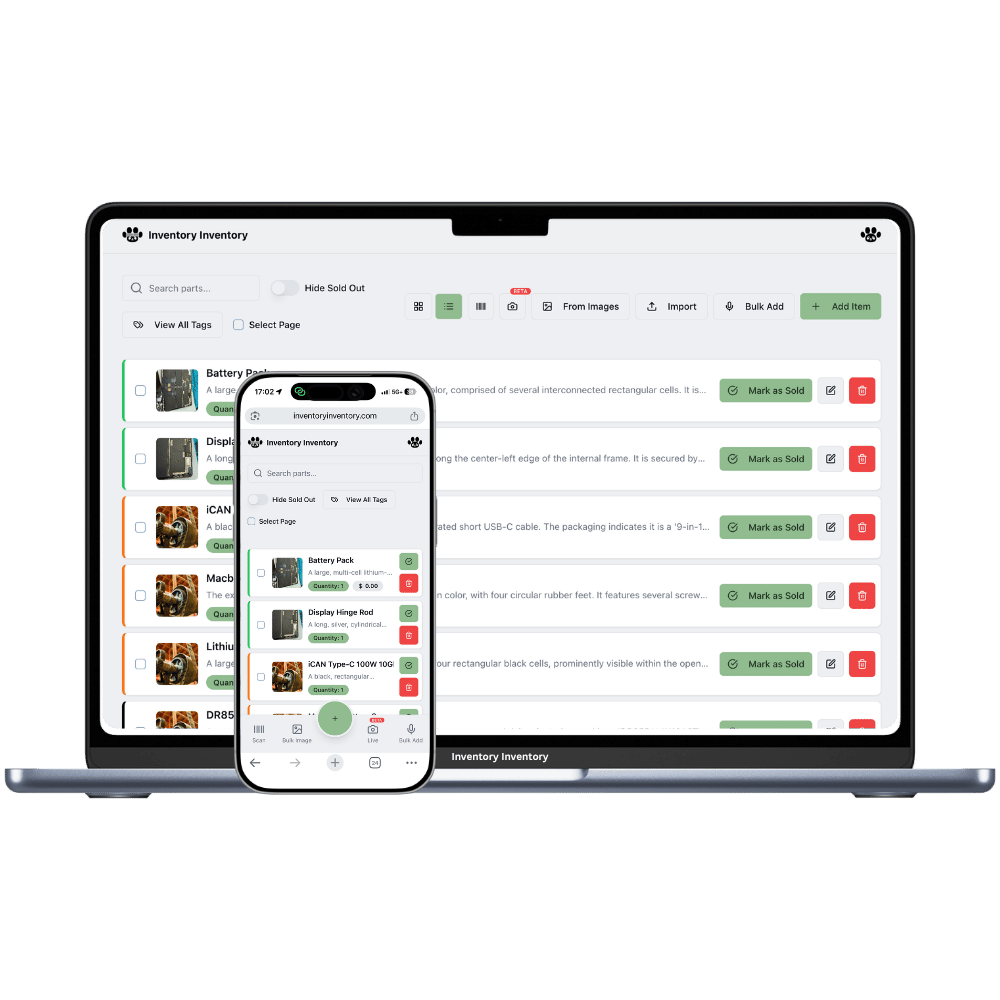
Inventory work happens standing up, in a stockroom, holding something. The desktop app is where you plan and analyse; the phone is where the actual movements get recorded — and if recording them means walking back to a computer, they will not get recorded.
The apps are companions to your web account: create the account on the web, then sign into the app with the same credentials. Everything is shared instantly, because there is one database behind both. Team members sign in with their own accounts and inherit the exact permissions you granted — a scan-only member gets a scanning tool, not a full editor.
Native apps for iPhone and Android, no extra charge on any plan.
Use the camera, or pair a Bluetooth barcode gun for high volume.
Anything scanned on a phone is on the desktop before you look up.
Each attached scanner registers individually under its host device.
Members see only what their role allows, enforced server-side.
The same AI alerts and purchasing notifications reach you on mobile.
Accuracy comes from recording things at the moment they happen. That moment almost never occurs at a computer.
Sign up at inventoryinventory.com first — the apps are companions to it.
Download from the App Store or Google Play and sign in with the same account.
Request access at a scanner station; the owner approves it once.
Yes — both, free, and native rather than a wrapped website. They are companions to your web account: you create the account on the web, then sign into the app with the same credentials and everything is already there.
Yes, the camera scans barcodes directly in the app, which is sufficient for most small businesses. For continuous scanning, pair an inexpensive Bluetooth gun to the phone — it types codes like a keyboard, so no configuration is needed and each gun can be registered and revoked individually.
They sign in with their own Google or Apple account and join your business, so their actions are attributed to them and their permissions apply. Never share one login across staff — it is the fastest way to make your audit log useless.
The apps are designed for connected use, since the point is one live shared number across your whole team. In practice a modern phone on shop Wi-Fi or cellular is fine; if you work somewhere with genuinely no signal, record on paper and enter it when you are back in range.
Start free with 50 items — no credit card, no trial countdown. Import your spreadsheet and you have a working system in minutes.