Inventory software for

Auto parts stores that count every shelf

Thousands of part numbers, two distributors for the same brake pad, and a pile of cores waiting for pickup. Inventory Inventory keeps each part on its shelf and each delivery at its own cost.

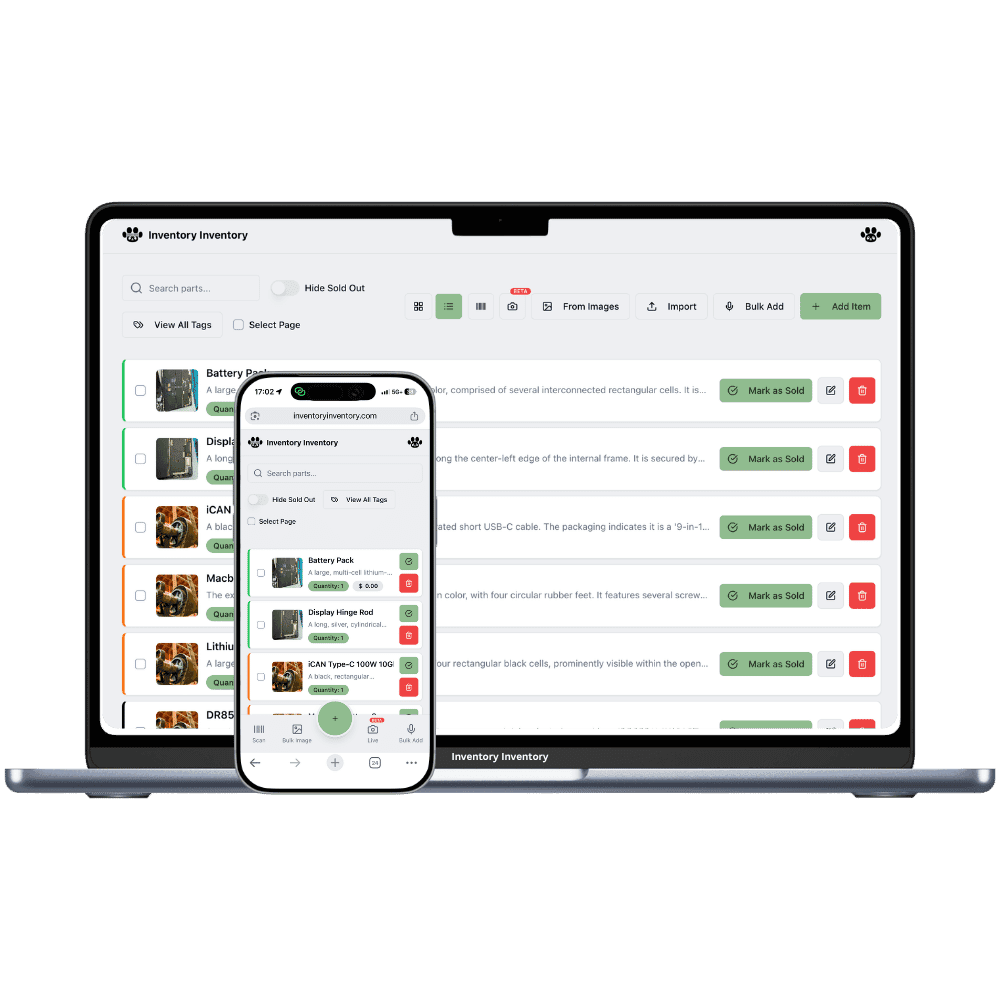
Inventory Inventory inventory software shown for auto parts stores on a laptop and a phone

What auto parts stores stock

  • Brake pads and rotors by vehicle application
  • Oil, air and cabin filters
  • Group 24 and Group 35 batteries with cores
  • Spark plugs and ignition coils
  • Serpentine belts and timing kits
  • Motor oil in 5 litre jugs
  • Wiper blades and winter washer fluid
  • Block heater cords and booster cables

How auto parts stores keep count

An auto parts store lives by the part number. The same set of ceramic brake pads might come from two distributors under two different numbers, the filter wall runs to hundreds of facings, and batteries arrive by the pallet with a core owed back on every one. Counter staff look up a part while a mechanic waits on the phone, and the answer has to be right: in stock, on which shelf, and how many. Winter adds block heater cords, booster cables and washer fluid, and spring brings wiper blades and cabin filters back to the front.

Inventory Inventory starts from the parts list you already have. Import it on Pro and above and the AI maps your columns, including SKU, supplier, cost, barcode and reorder level, and you can add Supplier SKU, Brand and Model number fields from the field library on every plan. Draw the counter, the back aisles and the battery cage in Warehouse Mode, also on every plan, and put each part on its aisle and floor. Scan at the counter with a camera or a USB gun, and connect Square on Pro and above so each sale deducts here within seconds.

Where the counts go wrong

The same brake pad from two suppliers at two prices

Pad and rotor prices move with every distributor price list. Keep the part once and receive each delivery as a lot with its own unit cost, using cost per lot on every paid plan. The item shows the value at cost and the weighted average of what is left, lots without an expiry leave oldest first, and receiving a purchase order stamps the new lot with the line’s cost.

Cores piling up behind the counter

Every battery and alternator sold brings a core back, and the supplier credits only what is returned. Create each core type as its own item, such as a Group 24 battery core, and keep them in a Cores warehouse drawn in Warehouse Mode on every plan. Count each one in as it comes back, and the number waiting for pickup stays on screen, apart from the new stock.

Part numbers the counter cannot place

A customer reads a number off an old filter and nobody knows which shelf. Add Supplier SKU, Brand and Model number from the field library on every plan, and use the field filter to tick one brand. Each part sits on its aisle and floor in Warehouse Mode, so the answer comes with a shelf, and scanning the box with a camera or USB gun opens the record at once.

The first minus thirty morning

The owner of an auto parts store in Saskatoon, on the Super plan, opens at 7:30 to a line of people needing batteries and block heater cords. Each sale rings through Square and deducts here within seconds. By nine the Group 24 batteries cross their reorder level and a draft purchase order for that distributor waits in the bell for approval. Twelve cores come back across the counter, and a clerk scans each one into the Cores warehouse so the pickup count is ready for the driver. At noon a delivery of brake pads is received against its purchase order as a new lot at the cost on the order line, beside the two older lots. Before closing, the AI Analyst answers what the battery stock is worth at cost, worked out lot by lot.

How it works

1

Bring in the parts list

Import your spreadsheet on Pro and above, or add parts by scan, photo or voice. Turn on Cost price, Supplier SKU, Brand, Reorder level and Lot number, so each delivery can carry its own cost.

2

Map the counter, the aisles and the cage

Draw the store, the back aisles and the battery cage as warehouses with aisles and floors, plus a Cores warehouse for returned cores. Drag each part onto its shelf and put a receiving station at the back door.

3

Let sales and deliveries keep the count

Connect Square on Pro and above so every counter sale deducts here, receive purchase orders as lots at their cost, and let reorder levels draft the next order to each distributor for your approval.

Frequently asked questions

How do I track auto parts I buy from two suppliers at different prices?

Keep the part once and receive each delivery as its own lot with a unit cost. Cost per lot, on every paid plan, shows the value at cost and the weighted average cost of what is left, and lots without an expiry date leave oldest first. Put your main distributor’s number in the Supplier SKU field and a second one in a custom text field, and the supplier directory on Pro and above keeps both distributors’ contacts and lead times.

How should an auto parts store count battery cores?

Count cores as their own items, separate from new stock: one item per core type, kept in a Cores warehouse on the map. Add each core when it comes back across the counter and lower the count when the driver collects them. The activity log keeps every change with the person and time, so a disputed core credit has a record to check.

Can the counter look up a part with a barcode scanner?

Yes. Any Bluetooth or USB keyboard-style gun works on the web, and so does a phone or computer camera; the iPhone and Android apps scan too and are free to download. A scan opens the part with its shelf and quantity. Parts with no barcode can get a generated 13-digit code, and on Pro and above labels print singly or in sheets of twelve.

Is there a free plan?

Yes. The Free plan holds up to 50 items with barcode scanning and custom item fields, and it needs no credit card. Upgrade only when you outgrow it.

Does it work on phones?

Yes. There are apps for iPhone and Android that turn your phone into a barcode scanner and show your live stock on the floor. Create your account on the web first, then sign in to the app with the same account.

Can I import my existing list?

Yes, on Pro and above: upload an Excel or CSV file and your columns are mapped automatically: name, quantity, price, barcode, SKU, cost, supplier, category, reorder level, expiry date and lot number. You review everything before it is saved.

More than one store?Multi-location inventory for auto parts stores

Features auto parts stores use

Ready to try it?

Start free with 50 items, no credit card: scan or type them in, or import your spreadsheet on Pro and above.

Another kind of shop? See every store type.