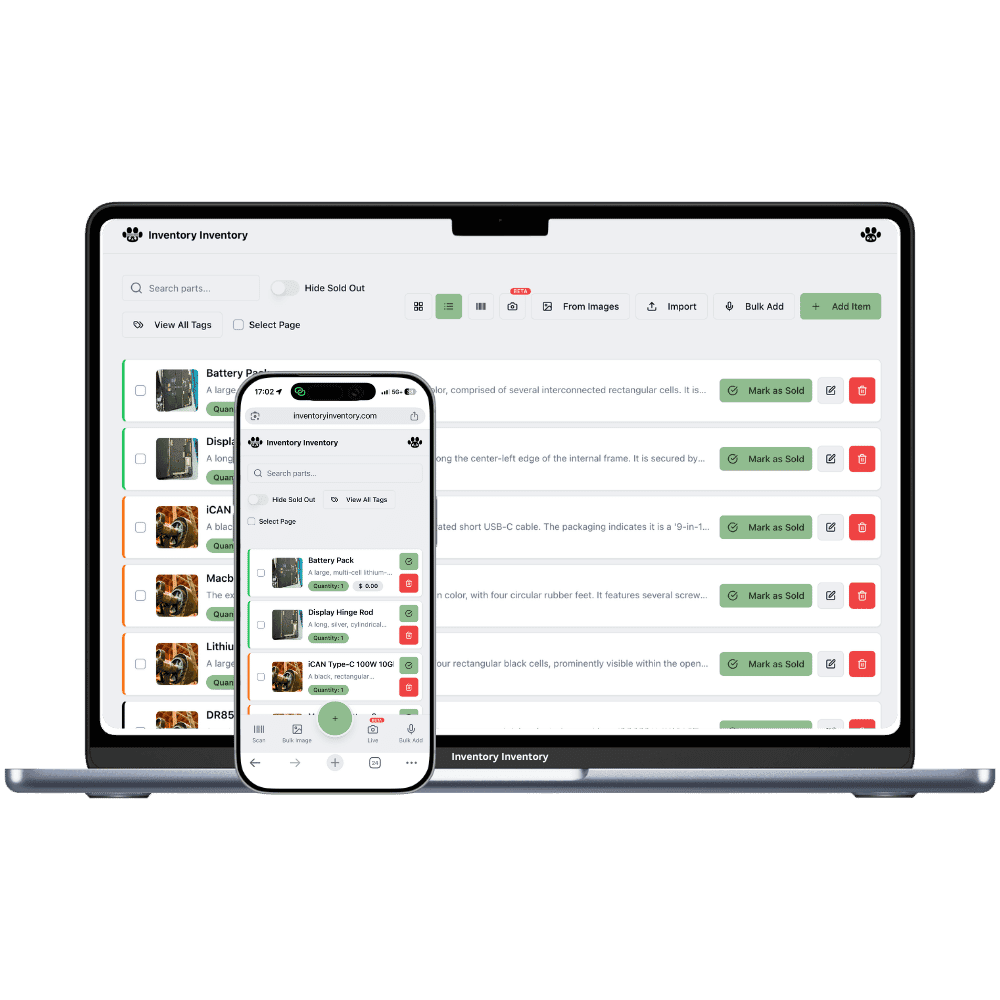
Bookstores and stationery shops that count every shelf
Thousands of titles, two or three copies each, plus a wall of pens and planners. Inventory Inventory scans the ISBN, remembers which shelf each title is on and keeps Square in step.
A bookstore carries more titles than almost any shop its size and very few copies of each. A new release arrives twenty deep, the backlist sits two to a shelf, and a used paperback bought at the counter this morning has no record anywhere. Stationery adds its own rhythm: planners in the fall, school supplies in late August, cards before every holiday. The questions at the counter are always specific. Is the second copy of this title in the back, which section is it shelved in, and when did the last order from that distributor arrive?
The barcode on the back of a new book carries its ISBN, so scanning it with a phone camera or a USB gun finds or adds the title in one step, on every plan. Add an ISBN custom field for searching, and Author and Publisher fields to filter by. Used books with no barcode get a generated 13-digit code and a printed label, on Pro and above. Draw the shop in Warehouse Mode with each section as an aisle and each bay as a floor, so every title’s place is on screen. Square, on Pro and above, deducts each sale within seconds.
Where the counts go wrong
Thousands of titles, two copies each
Typing titles one at a time is where a bookstore’s count stalls. Scan the ISBN barcode with a phone or a USB gun to look up or add each book, on every plan, or import the distributor’s list on Pro and above with the AI mapping title, barcode, cost, supplier and your own ISBN and Author fields.
Used books with no barcode at all
A used paperback bought over the counter has no code a scanner can read. Generate a 13-digit barcode for it and print a single label or a sheet of twelve as a PDF, on Pro and above, and add a Condition custom field so a fine first edition and a reading copy stay apart as two items.
Where in the shop is that title?
Draw the shop in Warehouse Mode, on every plan, with Fiction, History and Children’s as aisles and each bay as a floor, then place every title on its shelf. A search shows where the copy should be, and overflow copies of a new release can be counted as loose units on the same record until there is room.
The last Saturday of August in Thunder Bay
At 9 am the owner of a bookstore and stationery shop in Thunder Bay, on the Super plan, filters the inventory by the Department field and ticks School supplies to see how many composition notebooks, geometry sets and pencil cases are left before the rush. A carton of new hardcovers arrives at 10; a part-time clerk scans each ISBN with the phone at the receiving station and twenty copies join the count. At noon a customer sells back a box of paperbacks, and the clerk adds them and prints a sheet of twelve generated barcodes. All afternoon Square deducts each sale. When next year’s planners drop below their reorder level, a draft purchase order for that supplier waits in the bell for the owner’s approval.
How it works
1
Scan or import your titles
Scan each ISBN to add titles on every plan, or import your distributor’s list on Pro and above. Turn on ISBN, Author, Publisher and Condition custom fields, plus Supplier and Reorder level for the stationery you sell again and again.
2
Map sections, bays and the back room
Draw the shop as a warehouse with each section as an aisle and each bay as a floor, then place each title on its shelf. Copies waiting in the back can stay loose on the same record until the shelf has room.
3
Let Square and reorder levels keep up
Connect Square on Pro and above so each sale deducts here within seconds, and give steady sellers such as notebooks and ink cartridges a reorder level, so on Pro and above low stock drafts a purchase order to that supplier for your approval.
Frequently asked questions
Can I scan ISBN barcodes to add books?
Yes. The barcode on the back of most new books encodes the ISBN, and scanning it with the phone apps, a computer camera or a USB or Bluetooth gun looks the book up or starts a new item, on every plan. Keep the ISBN in a custom field as well if you want to search by it, or for older books whose barcode differs.
How do I track used books that have no barcode?
Add each used book as its own item, with a Condition custom field so a first edition and a reading copy stay separate. On Pro and above, generate a 13-digit barcode for it and print a single label or a sheet of twelve as a PDF, then scan it at the till like any other book.
Can stationery and books share one system?
Yes. Use a Department custom field with values such as Books, Stationery and Gifts, and tick one or several in the field filter. Pens, planners and ink can carry a Supplier, Reorder level and Reorder quantity, so on Pro and above low stock drafts a purchase order grouped by supplier, while one-off used books simply leave the count when they sell.
Is there a free plan?
Yes. The Free plan holds up to 50 items with barcode scanning and custom item fields, and it needs no credit card. Upgrade only when you outgrow it.
Does it work on phones?
Yes. There are apps for iPhone and Android that turn your phone into a barcode scanner and show your live stock on the floor. Create your account on the web first, then sign in to the app with the same account.
Can I import my existing list?
Yes, on Pro and above: upload an Excel or CSV file and your columns are mapped automatically: name, quantity, price, barcode, SKU, cost, supplier, category, reorder level, expiry date and lot number. You review everything before it is saved.