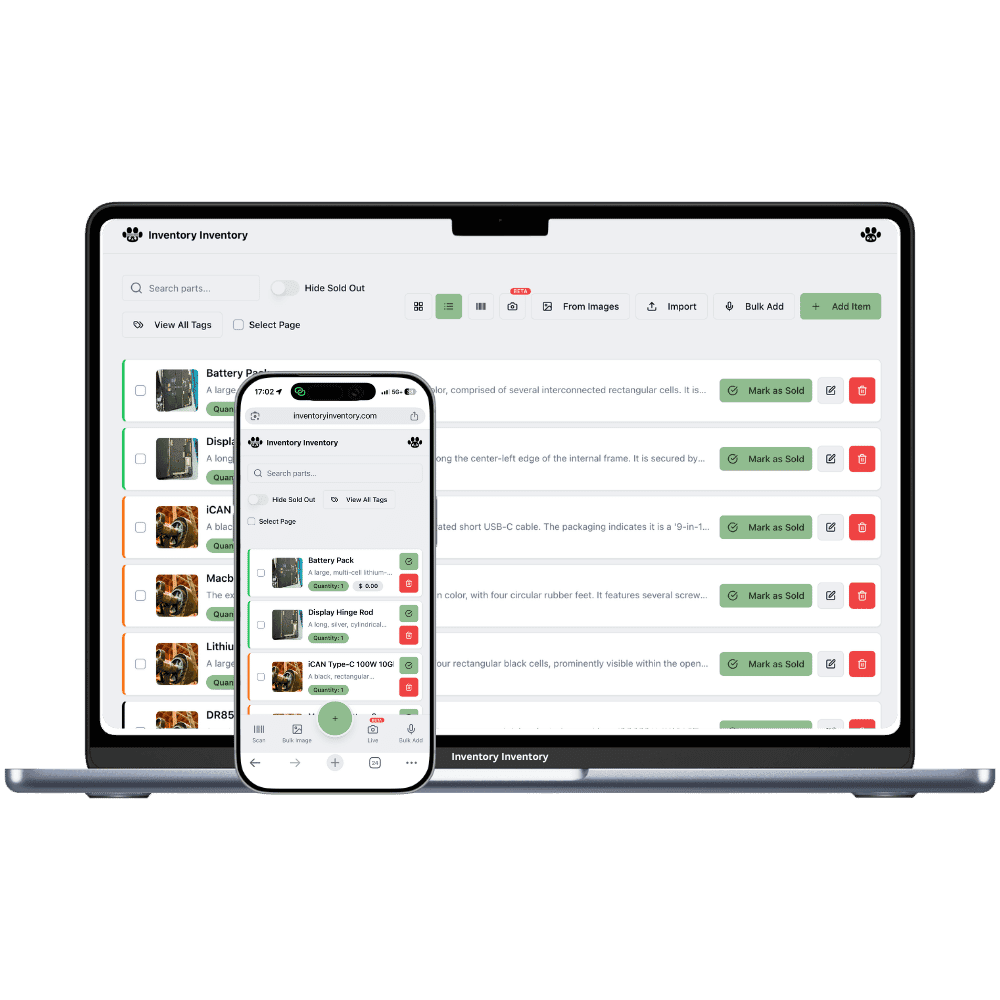
One dress in five sizes and three colours is fifteen counts, not one. Inventory Inventory keeps each size on its own record, in step with Square, so the rail and the screen agree.
A boutique’s stock looks small on the floor and large on paper. One linen dress arrives in five sizes and three colours, so a rail of twelve styles can be a hundred and fifty separate counts. New collections land four times a year, the last mediums of the season sit in a box in the back, and a customer asking for a small in sage wants an answer before she leaves the fitting room. Many boutiques track all of this on the till alone, which knows what sold but not where the remaining sizes are or what is still in the stockroom.
Inventory Inventory does not group variants, so each size and colour you count is its own item with its own barcode or SKU, and that is how the numbers stay honest. Name them with a shared prefix, such as Linen Wrap Dress / Sage / M, and a search for the prefix lists every size together, while a colour tag or a Season custom field groups the collection. Import your size runs from a spreadsheet on Pro and above, connect Square on Pro and above so each sale deducts the right size within seconds, and draw the shop floor and stockroom in Warehouse Mode, on every plan.
Where the counts go wrong
Fifteen sizes and colours behind one style
There is no variant grouping, so each size and colour is its own item with its own barcode or SKU. Name each with the style first, such as Linen Wrap Dress / Sage / M, add a Size custom field (custom fields are on every plan, Free included), and tick several sizes at once in the field filter to see which runs are broken before you reorder.
Till sales that never reach the stockroom count
Connect Square on Pro and above and a completed sale, in the shop or online, deducts that exact size here within seconds, exactly once. Items match by barcode, then SKU, then exact name, and photos, prices and descriptions sync both ways, so the medium sold on Saturday is gone from the count before the next customer asks for it.
Last season’s stock forgotten in the back
Draw the stockroom as its own warehouse in Warehouse Mode, on every plan, and fill a Season field on each item. When spring arrives, filter by Season, select the winter coats still on hand and use Move to… to send them to the sale rail, or see in seconds what is left to mark down.
New arrivals on a Thursday in Victoria
At 10 am the owner of a clothing boutique in Victoria, on the Pro plan, opens the box of spring dresses: four styles, five sizes, two colours. She imports the supplier’s packing list from Excel and the AI maps style, colour, size, barcode and cost into forty items, each named with the style first so the sizes sort together. Six pieces came without a supplier code, so she generates barcodes and prints them on a sheet of twelve. Send my items to Square puts the new arrivals on the till. By 3 pm Square has sold two mediums in sage, and the count shows one left. When a customer asks for a small, the clerk searches Wrap Dress and sees every size at once. Before closing, the AI Analyst lists which styles sold through and which sizes are sitting.
How it works
1
Enter each size as its own item
Import your size runs on Pro and above or scan them in one by one. Name each with the style first, then colour and size, add Size and Season custom fields, and generate barcodes for anything that arrived without one.
2
Map the shop floor and the stockroom
Draw the sales floor and the back room as warehouses, add your rails and shelves as aisles, and place each item where it hangs, so the overflow sizes in the stockroom stay findable when the rail runs out.
3
Connect Square and let sales count
On Pro and above, connect Square, send your items across with Send my items to Square, and turn on Auto-add new items to Square for each new delivery. Every sale then deducts the exact size here within seconds.
Frequently asked questions
How do I track clothing inventory by size and colour?
Enter each size and colour as its own item with its own barcode or SKU. Inventory Inventory has no variant grouping, so a style in five sizes and three colours is fifteen items. Name them with the style first, such as Linen Wrap Dress / Sage / M, so a search lists the whole run, and add a Size custom field to filter by one or several sizes at once.
Does boutique inventory software work with Square?
Inventory Inventory connects to Square on Pro and above. A completed Square order, in store or online, deducts the matching item here within seconds, and a count changed here updates Square. Names, prices, barcodes, SKUs and photos sync both ways, and items must be set to track by stock in Square. Refunds are not restocked automatically for the time being, so adjust the count in either system.
Will a large size run use up my item allowance?
Each size and colour counts as one item. Free covers 50 items, Pro 1,000 and Super 10,000 on the current plans, so a boutique carrying 120 styles at an average of eight sizes and colours, about 960 items, fits within Pro. Plans are priced on capacity, never per user, and an upgrade takes effect immediately.
Is there a free plan?
Yes. The Free plan holds up to 50 items with barcode scanning and custom item fields, and it needs no credit card. Upgrade only when you outgrow it.
Does it work on phones?
Yes. There are apps for iPhone and Android that turn your phone into a barcode scanner and show your live stock on the floor. Create your account on the web first, then sign in to the app with the same account.
Can I import my existing list?
Yes, on Pro and above: upload an Excel or CSV file and your columns are mapped automatically: name, quantity, price, barcode, SKU, cost, supplier, category, reorder level, expiry date and lot number. You review everything before it is saved.