Garden centres and nurseries that count every shelf
Annuals for six weeks in spring, bulbs in fall, trees all summer, and a yard nobody can count in one pass. Inventory Inventory puts every plant on the map and every season in a field.
Annuals and bedding plants in flats and hanging baskets
Perennials, shrubs and fruit trees in pots by size
Bagged soil, mulch and compost
Seed packets packed for the current year
Fertilizer, grass seed and lawn care
Pots, planters and garden tools
Bulbs for fall planting
Christmas trees, wreaths and poinsettias
How garden centres and nurseries keep count
A garden centre lives by the calendar. Bedding plants and hanging baskets arrive in April and are gone by the end of June, perennials and shrubs sit in the yard all summer, bulbs come in for fall, and the year ends with wreaths and poinsettias. Most plants arrive without a barcode, pot size matters as much as the name, and stock spreads across greenhouses, benches and an outdoor yard. Bagged soil and fertilizer move by the pallet. The hard part is knowing what is left on which bench before the next truck, and what to clear before it stops selling.
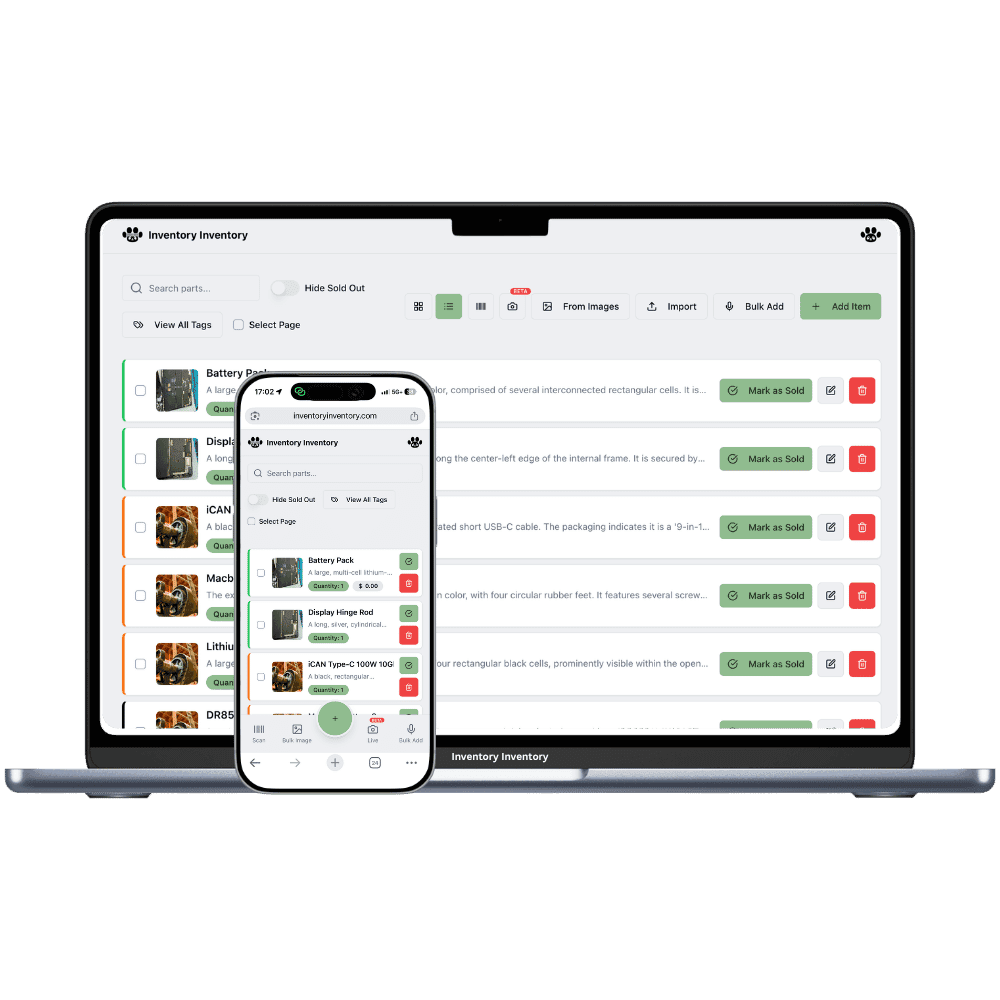
Inventory Inventory starts with your plant list. Import it on Pro and above and the AI maps the columns, or add plants from a photo or your voice, also on Pro and above. Add a Season field and a Pot size field, custom fields on every plan, and keep each plant and pot size as its own item. Draw the greenhouses and the yard in Warehouse Mode with benches and rows as aisles. Generate barcodes and print sheets of twelve, on Pro and above, so plant tags scan at the till, and Square sales on Pro and above keep the count right.
Where the counts go wrong
Six weeks of spring stock
Bedding plants have one season to sell. Add a Season custom field, on every plan, and fill it with Spring, Summer, Fall or Holiday. The field filter ticks a season in one click, so in late June you can select every remaining annual and see what needs a markdown, and an AI Alerts rule on that field, on Pro and above, can warn you when a season’s stock runs low.
Pots with no barcode
Plants rarely arrive with a code a scanner can read. On Pro and above, generate a 13-digit barcode for each plant and pot size and print a single label or a sheet of 12 as a PDF for the plant tags, so the till and the phone apps scan the same code. Each pot size is its own item, since sizes are not grouped.
A yard and three greenhouses to count
Draw the greenhouses and the yard in Warehouse Mode, which every plan includes, with benches and rows as aisles. Drag each plant onto its bench, and the 3D view lets a new seasonal hire find the 2 gallon hydrangeas on their first morning. When perennials need to move to the sale table, select them and use Move to… to send the whole bench in one action.
The May long weekend
At 7 am on the Saturday of the May long weekend, the owner of a garden centre in Victoria, on the Super plan, checks the bell: overnight, the tomato starts crossed their reorder level and a draft purchase order for the grower is waiting. A delivery of hanging baskets arrives at 8; a seasonal hire prints a sheet of barcode labels for the new varieties and drags them onto bench 3 in the main greenhouse. By noon Square has sold two hundred flats of annuals, each deducted here within seconds. In the afternoon the owner filters by the Season field, ticks Spring, and uses Move to… to send the slower perennials to the sale table. Before closing, the AI Analyst lists the slow movers in the yard.
How it works
1
List plants by size and season
Import your plant list on Pro and above, or add plants by photo or voice on the same plans. Add Season and Pot size fields, turn on Supplier, Cost price and Reorder level, and generate barcodes for every pot without one.
2
Map the greenhouses and the yard
Draw the greenhouses, the yard and the hard-goods store in Warehouse Mode, with benches and rows as aisles, and drag each plant onto its bench so seasonal staff find it quickly.
3
Let sales and the season drive orders
Connect Square on Pro and above so every sale deducts here within seconds, set reorder levels on what you restock through the season, and let low stock draft purchase orders to each grower for your approval.
Frequently asked questions
How do I track seasonal plants in inventory software?
Add a Season custom field, on every plan, and give each plant its season. The field filter can tick one or several seasons at once, so you can count spring stock, mark down what is left in summer, or select the fall bulbs and use Move to… to send them to the front. Plants you stop carrying can be marked discontinued with the Status field instead of deleted.
Can I print barcode labels for plants?
Yes, on Pro and above. Generate a 13-digit barcode for any plant or pot size that has none, then print a single label or a sheet of 12 as a PDF in label or letter size. The same code then scans at the till, in the phone apps and with any USB or Bluetooth barcode gun. QR codes can be scanned but are not generated.
Can I track seed packets by packed-for year?
Yes. Turn on the Expiry date or Lot number field and record each seed delivery as a lot with its packed-for date. The item’s Expiry date shows the earliest lot, every sale takes the soonest date first, and the Expiry date filter shows packets that are expired or expire within 30 days.
Is there a free plan?
Yes. The Free plan holds up to 50 items with barcode scanning and custom item fields, and it needs no credit card. Upgrade only when you outgrow it.
Does it work on phones?
Yes. There are apps for iPhone and Android that turn your phone into a barcode scanner and show your live stock on the floor. Create your account on the web first, then sign in to the app with the same account.
Can I import my existing list?
Yes, on Pro and above: upload an Excel or CSV file and your columns are mapped automatically: name, quantity, price, barcode, SKU, cost, supplier, category, reorder level, expiry date and lot number. You review everything before it is saved.