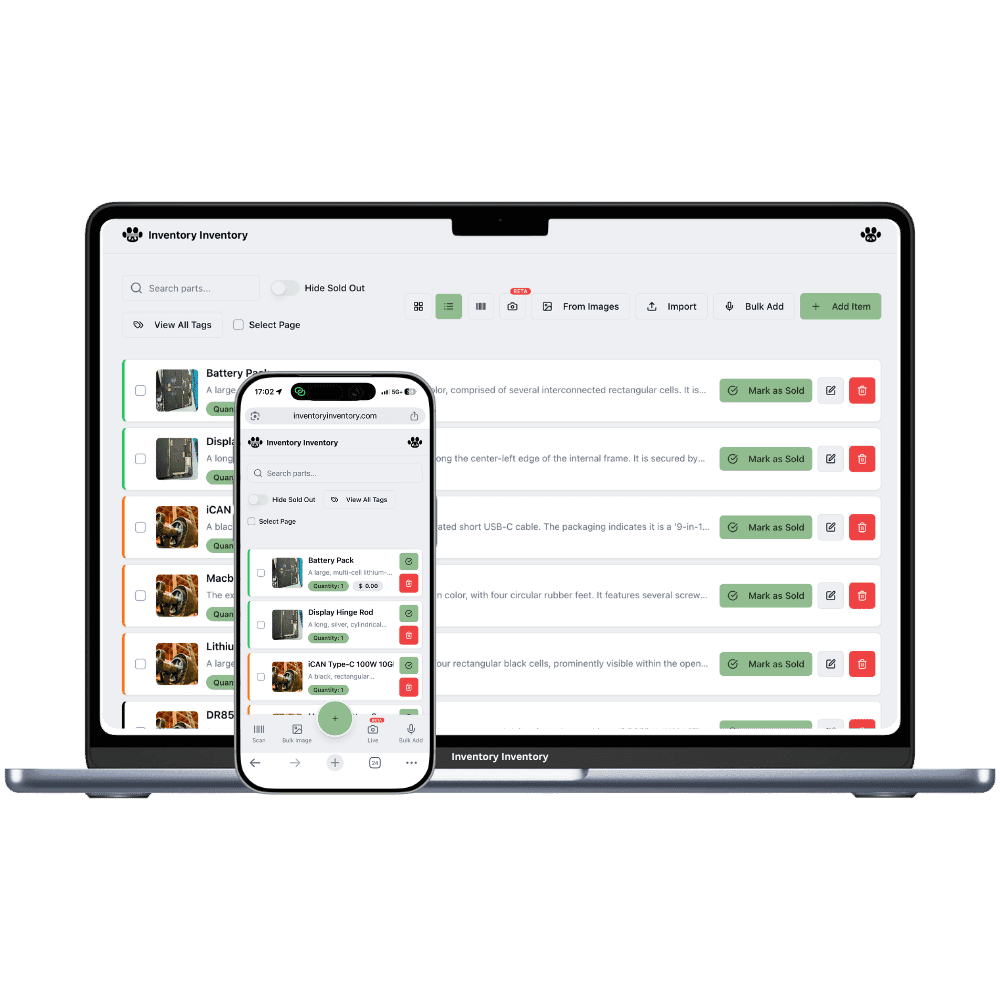
The same wine in two vintages at two prices, beer that sells by the can and arrives by the case, and a deposit on every container. Inventory Inventory keeps each one counted and on its shelf.
Red and white wine by vintage, by the bottle and the case
Canadian whisky, gin and vodka from 375 mL to 1.75 L
Craft beer in cans, six-packs and two-fours
Ciders, coolers and ready-to-drink cocktails
Icewine and fortified wines in half bottles
Gift bags, wine openers and bar tools
Mixers, tonic and soda by the case
How liquor and wine stores keep count
A liquor or wine store sells products that look alike and are not. The same Okanagan red comes in a 2021 and a 2022 at different prices, whisky is stocked in four bottle sizes, and craft beer arrives by the case and leaves as single cans and six-packs. Every container carries a deposit, and seasonal stock such as icewine, rosé and holiday gift sets turns over fast. The busiest hours are Friday afternoons and the eve of a long weekend. The hard part is keeping each vintage and size counted and knowing what to order before the rush.
Inventory Inventory keeps each vintage and size as its own item with its own barcode and price, since selling price is set per item. Add a Vintage number field and a Bottle deposit currency field, custom fields that every plan includes, so staff see them on every product. Set Unit of measure to pcs for bottles or pack for six-packs and count each the same way every time. Draw the floor with the wine racks, the beer cooler and the back room as aisles in Warehouse Mode. On Pro and above, Square sales deduct here within seconds.
Where the counts go wrong
Two vintages of the same wine at two prices
A 2021 and a 2022 of the same red rarely sell at the same price. Since selling price is set per item, keep each vintage as its own item with its own barcode, and add a Vintage number field, a custom field on every plan, so the list filters by year. When the older vintage runs out, set its Status to discontinued instead of deleting its history.
Cases in, single cans out
Craft beer arrives as a case of 24 and leaves one can at a time. Pick the unit everyone counts in, singles or six-packs, with the Unit of measure field, and keep each pack size that has its own barcode as its own item. On Pro and above, Square deducts each completed sale here within seconds, matched by barcode, then SKU, then name, so the cooler count follows the till.
Running dry before the long weekend
Set a reorder level and reorder quantity on the beer, coolers and mixers that sell out first. On Pro and above, crossing the level drafts a purchase order grouped by supplier, one open draft per supplier, and nothing is sent until you approve it. Ask the AI Analyst, also on Pro and above, what is low or slow before the order goes in.
The Thursday before a long weekend
At 9 am the owner of a wine and liquor store in Kelowna, on the Super plan, receives two pallets: local wine and craft beer. A clerk scans each case at the back-room scanner station, and the 2023 vintage of a Pinot Gris, new this week, is added as its own item with its own barcode and price beside the 2022. By 3 pm Square has sold most of the coolers, the cooler item crosses its reorder level, and a draft purchase order for that supplier waits in the bell. A part-time clerk, signed in with Scan items only, restocks the mixer shelf with the phone app. Before closing, the owner filters by the Vintage field to see how many bottles of each year are left.
How it works
1
Set up products by vintage and size
Import your product list on Pro and above, or scan each bottle. Add a Vintage number field and a Bottle deposit currency field, turn on Supplier, Cost price and Reorder level, and keep each vintage and bottle size as its own item.
2
Map the racks, the cooler and the back room
Draw the store in Warehouse Mode with the wine racks, the beer cooler and the back-room shelving as aisles with floors, and drag each product onto its place. Put a scanner station at the back door for deliveries.
3
Let Square and deliveries keep the count
Connect Square on Pro and above so each sale deducts here within seconds, receive purchase orders as they arrive with their cost, and let reorder levels draft the next order for your approval.
Frequently asked questions
How should a wine store track different vintages?
Keep each vintage as its own item, because selling price is per item and a 2021 and a 2022 rarely sell at the same price. Add a Vintage number field, a custom field on every plan, so you can filter by year, and give each its own barcode; on Pro and above you can generate and print one for bottles that have none. Older vintages can be marked discontinued with the Status field.
Can I record bottle deposits in my inventory?
You can store a deposit on each product with a custom currency field, such as Bottle deposit, on every plan, so staff see it beside the price. Inventory Inventory does not calculate deposit refunds, empties returns or remittances; it records the value you enter, and your point of sale stays in charge of charging the deposit.
Can I sell a case and single bottles of the same product?
Each item has one count, and quantities are whole numbers. Pick the unit you sell most, usually single bottles or cans, and record a case received as 12 or 24 units. If the case has its own barcode and price, make it its own item. On Pro and above, Square deducts each completed sale from the item it matches by barcode, SKU or name.
Is there a free plan?
Yes. The Free plan holds up to 50 items with barcode scanning and custom item fields, and it needs no credit card. Upgrade only when you outgrow it.
Does it work on phones?
Yes. There are apps for iPhone and Android that turn your phone into a barcode scanner and show your live stock on the floor. Create your account on the web first, then sign in to the app with the same account.
Can I import my existing list?
Yes, on Pro and above: upload an Excel or CSV file and your columns are mapped automatically: name, quantity, price, barcode, SKU, cost, supplier, category, reorder level, expiry date and lot number. You review everything before it is saved.