Pharmacies and health stores that count every shelf
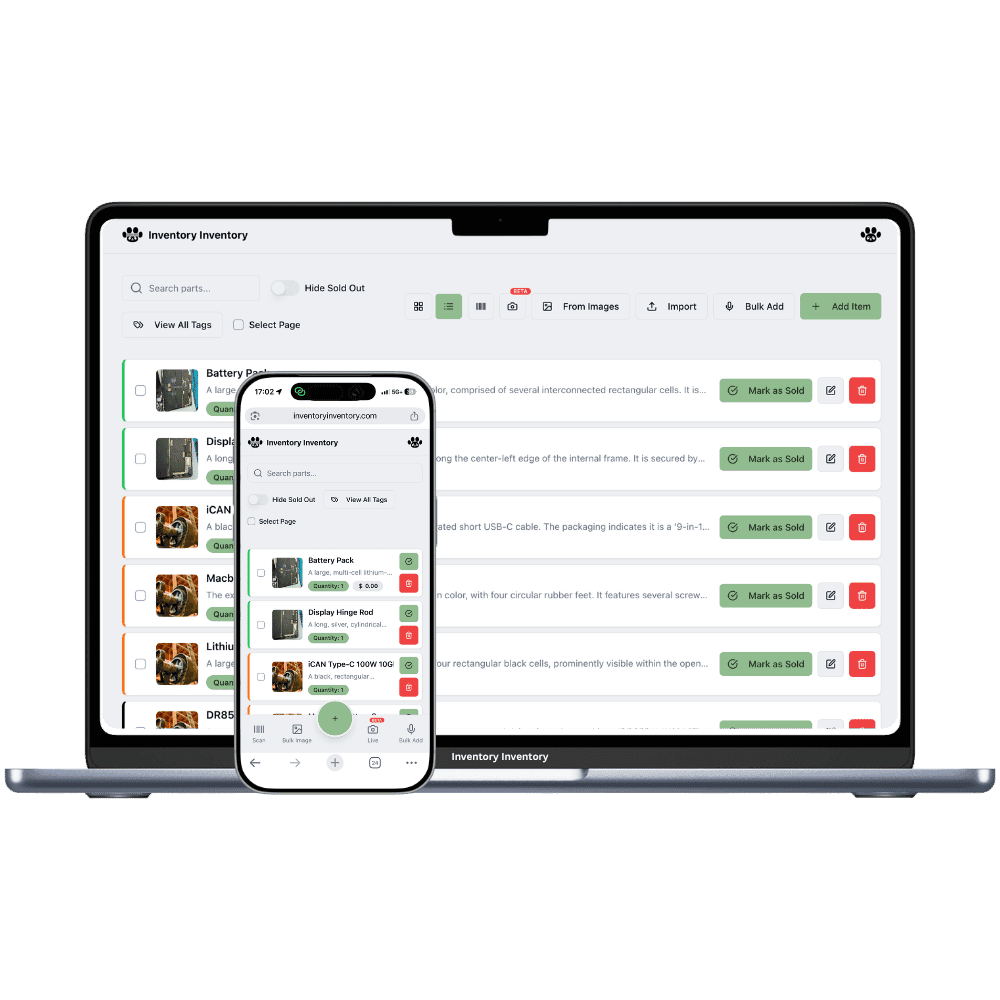
Vitamins with three expiry dates on one shelf, a lot number a supplier may ask about, and a front shop that turns over daily. Inventory Inventory keeps every lot and its date, and sells the soonest first.
Vitamins and supplements with printed expiry dates
Pain relief, cold and allergy medicine on the front shelves
Protein powders and meal replacement shakes
Bandages, first aid kits and blood pressure monitors
Baby formula, diapers and wipes
Natural skin care, essential oils and herbal teas
Compression socks, braces and mobility aids
How pharmacies and health stores keep count
A pharmacy front shop or a health store carries thousands of products that all expire. Vitamin D from three deliveries sits on one shelf with three dates, protein powder comes in tubs that last a year, and cold medicine sells out the week a virus goes around. Suppliers print lot numbers on every bottle, and when one asks which lot you received and sold, a shelf count does not answer. Most of the stock has a barcode. The hard part is knowing which dates are behind the front row and which lot went where.
Inventory Inventory tracks stock, not prescriptions: it is for the front shop, supplements and retail health products. Turn on Expiry date and Lot number and each delivery becomes a lot with its own quantity, number and date; scans, Square sales and API deductions take the soonest date first, and the activity log records which lots each deduction took. Import your product list on Pro and above and the AI maps the columns, lot number and expiry date included. On Pro and above, AI Alerts can run a date rule every day and warn you before a lot expires.
Where the counts go wrong
Three expiry dates on one shelf
Each delivery of the same multivitamin arrives with its own date. Turn on Expiry date and receive each one as a lot: the item’s quantity is the total of its lots, its Expiry date shows the earliest, and every scan and sale takes the soonest date first. The Expiry date filter shows what is expired or expires within 30 days, ready to pull or mark down.
A supplier asks which lot you sold
Record the lot number printed on the box when you receive it, and every deduction, from a scan, a Square sale on Pro and above, or an API call, is written to the activity log with the lots it took, the user, the time and the device. The log keeps about six months of entries, so when a supplier names a lot, you can see how much you received and when it left.
Cold and flu season empties the shelf
Set a reorder level on each cold and allergy product. On Pro and above, falling below it drafts a purchase order grouped by supplier, and nothing is sent until you approve it; on VIP and above it can be emailed to the supplier from the app. An AI Alerts rule on a Department field, on Pro and above, can warn you when the cold aisle runs low.
Monday morning in the vitamin aisle
At 8:15 am the manager of a health store in Moncton, on the Pro plan, opens the bell: an AI Alerts date rule has flagged two lots of fish oil that expire within 30 days. She filters by Expiry date, moves both to the front of the shelf, and gives them a Clearance tag. At 10 the supplement delivery arrives; receiving the purchase order creates a new lot of vitamin D with its lot number, expiry date and the line’s cost. Through the day, Square sales take the soonest date first. In the afternoon a supplier calls about a lot of elderberry syrup, and the activity log shows the eleven bottles received and the four sold, with times. Before closing, the AI Analyst lists every lot expiring next month.
How it works
1
Bring in products with their lots
Import your product list on Pro and above, or scan each barcode. Turn on Expiry date, Lot number, Supplier and Reorder level, and enter what is on the shelf now as the first lot of each product, with its date and number.
2
Map the front shop and the stockroom
Draw the store in Warehouse Mode with each aisle and the stockroom shelving as aisles with floors, and drag each product onto its place so staff find the second box of a supplement without searching.
3
Let dates drive the day
Receive each purchase order with its lot numbers and expiry dates, connect Square on Pro and above so sales take the soonest date first, and set an AI Alerts date rule on Pro and above to warn you before anything expires.
Frequently asked questions
Can this software manage prescriptions or a dispensary?
No. Inventory Inventory tracks physical stock: quantities, lots, expiry dates, shelves and suppliers. It is not a prescription or dispensing system, so pharmacies use it for the front shop, health products and supplies they count and reorder, and keep their dispensing system for prescriptions.
How do I sell the oldest supplements first?
Turn on the Expiry date field and receive each delivery as a lot. Deductions follow first expired, first out: every scan, Square sale, API call and shipped order takes the lot with the soonest date first, and lots without a date leave oldest first. The item’s Expiry date always shows its earliest lot, so the front of the shelf is easy to check.
Can I track lot numbers on health products?
Yes. Turn on the Lot number field and each lot carries its number, quantity and an optional expiry date, plus a unit cost on every paid plan. The activity log records which lots each deduction took, and the AI Analyst, on Pro and above, can list expiring lots. Every lot shares the product’s barcode; separate barcodes per lot are not supported, so a product that needs its own code is its own item.
Is there a free plan?
Yes. The Free plan holds up to 50 items with barcode scanning and custom item fields, and it needs no credit card. Upgrade only when you outgrow it.
Does it work on phones?
Yes. There are apps for iPhone and Android that turn your phone into a barcode scanner and show your live stock on the floor. Create your account on the web first, then sign in to the app with the same account.
Can I import my existing list?
Yes, on Pro and above: upload an Excel or CSV file and your columns are mapped automatically: name, quantity, price, barcode, SKU, cost, supplier, category, reorder level, expiry date and lot number. You review everything before it is saved.