Phone and computer repair shops that count every shelf
Hundreds of near-identical screens, batteries for every model year, and drawers only one technician understands. Inventory Inventory puts every part in a labelled place with its model and supplier number.
A repair shop’s stock looks small and is not. One phone model can need an OLED screen, an aftermarket LCD screen, a battery, a charging port and a back glass, and the next model year needs all of them again in slightly different shapes. Parts arrive from overseas suppliers in anti-static bags with a supplier code and no retail barcode. Laptop work adds SSDs, RAM, keyboards and hinges. When a customer drops off a cracked screen, the technician needs to know in seconds whether the right part is in the drawer or has to be ordered.
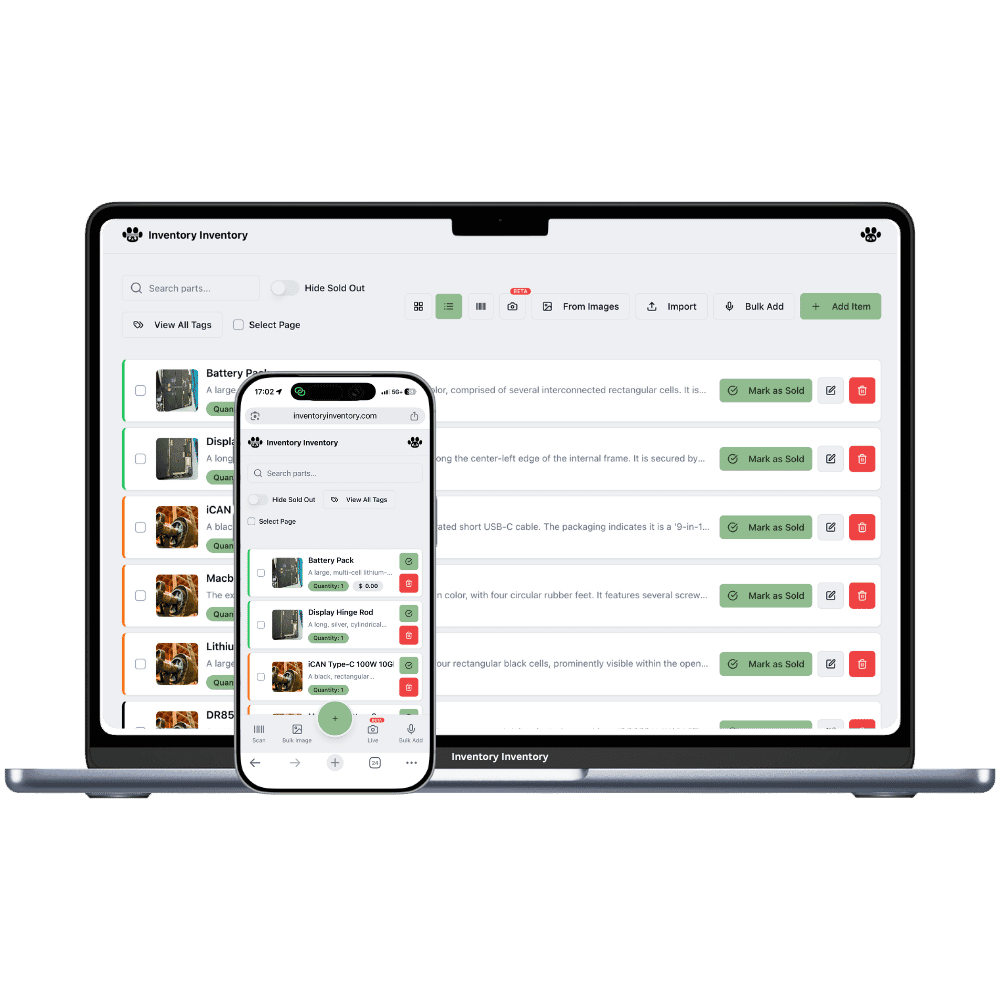
Inventory Inventory gives each part a record with the fields repair work needs: Model number, Brand, SKU and Supplier SKU from the field library, on every plan. On Pro and above, photograph an unmarked part and the AI fills in what it sees, tuned by your field of business, and you confirm before saving. Generate a 13-digit barcode for each bag and print a sheet of twelve labels on Pro and above. Draw the parts cabinet as an aisle with a floor per drawer in Warehouse Mode, on every plan, so every bag has a home.
Where the counts go wrong
Bags of parts with no barcode
Supplier bags carry a code, not a scannable barcode. Generate a 13-digit barcode for each part and print single labels or sheets of twelve as PDF on Pro and above. After that, a camera or USB gun at the bench opens the right record, with its model and drawer, in one scan.
Screens that look identical across models
Two screen assemblies a year apart can differ by one connector. Keep Model number and Supplier SKU fields on every part, on every plan, and use the field filter to tick one model and see only its parts. On Pro and above, Add Item by photo lets the AI read a new part and fill the record for you to check.
Parts fitted but never taken off the count
A battery goes into a phone and nobody records it. Register a bench phone or gun as a scanner station in Leaving mode, on every paid plan, so each part is scanned out as it is fitted. The activity log keeps who scanned it, when and on which device, with the before and after quantity.
Six phones waiting before ten
At 10 am a phone and computer repair shop in Toronto, on the Pro plan, opens with six phones on the bench. The technician scans each replacement screen and battery out at the bench station in Leaving mode as it goes in, and the counts drop as she works. A customer brings a laptop with a failed drive; the field filter on Model number shows two compatible SSDs in drawer 3. At noon a supplier parcel arrives with forty unmarked bags. The owner photographs each new part with Add Item, checks what the AI filled in, prints barcode labels on a sheet of twelve and files the bags. By closing, the charging ports for one popular model are under their reorder level and a draft purchase order to that supplier waits for approval.
How it works
1
Record every part with its model
Import your parts sheet on Pro and above, or add parts by photo, scan or typing. Turn on SKU, Supplier SKU, Model number, Brand, Cost price and Reorder level.
2
Label the bags and map the drawers
Generate barcodes for unmarked parts and print sheets of twelve on Pro and above. Draw the parts cabinet and back shelves in Warehouse Mode and place each part in its drawer.
3
Scan parts out at the bench
Register a bench gun or phone as a scanner station in Leaving mode on any paid plan, connect Square on Pro and above for case and charger sales, and let reorder levels draft the next supplier order for your approval.
Frequently asked questions
How do repair shops track parts that have no barcode?
Give them one. Inventory Inventory generates a 13-digit barcode for any item without a code, and on Pro and above prints a single label or a sheet of twelve as PDF in label or letter size. Stick the label on the bag, and from then on a camera, a phone or a USB gun at the bench opens the part in one scan.
Can I filter repair parts by phone or laptop model?
Add Model number and Supplier SKU from the field library, on every plan, and fill them on each part. The field filter lets you tick one or several values, such as two phone models, to see only their parts and counts. Text fields suggest the five most recent values as you type, which keeps model names spelled the same way.
Can the AI identify a repair part from a photo?
On Pro and above, Add Item by photo lets the AI fill in a new item from a picture, tuned by the field of business you choose, and Bulk from Images does the same for a stack of photos with a review screen before anything is saved. Small parts look alike, so check the model number before you save: the AI suggests and you decide.
Is there a free plan?
Yes. The Free plan holds up to 50 items with barcode scanning and custom item fields, and it needs no credit card. Upgrade only when you outgrow it.
Does it work on phones?
Yes. There are apps for iPhone and Android that turn your phone into a barcode scanner and show your live stock on the floor. Create your account on the web first, then sign in to the app with the same account.
Can I import my existing list?
Yes, on Pro and above: upload an Excel or CSV file and your columns are mapped automatically: name, quantity, price, barcode, SKU, cost, supplier, category, reorder level, expiry date and lot number. You review everything before it is saved.