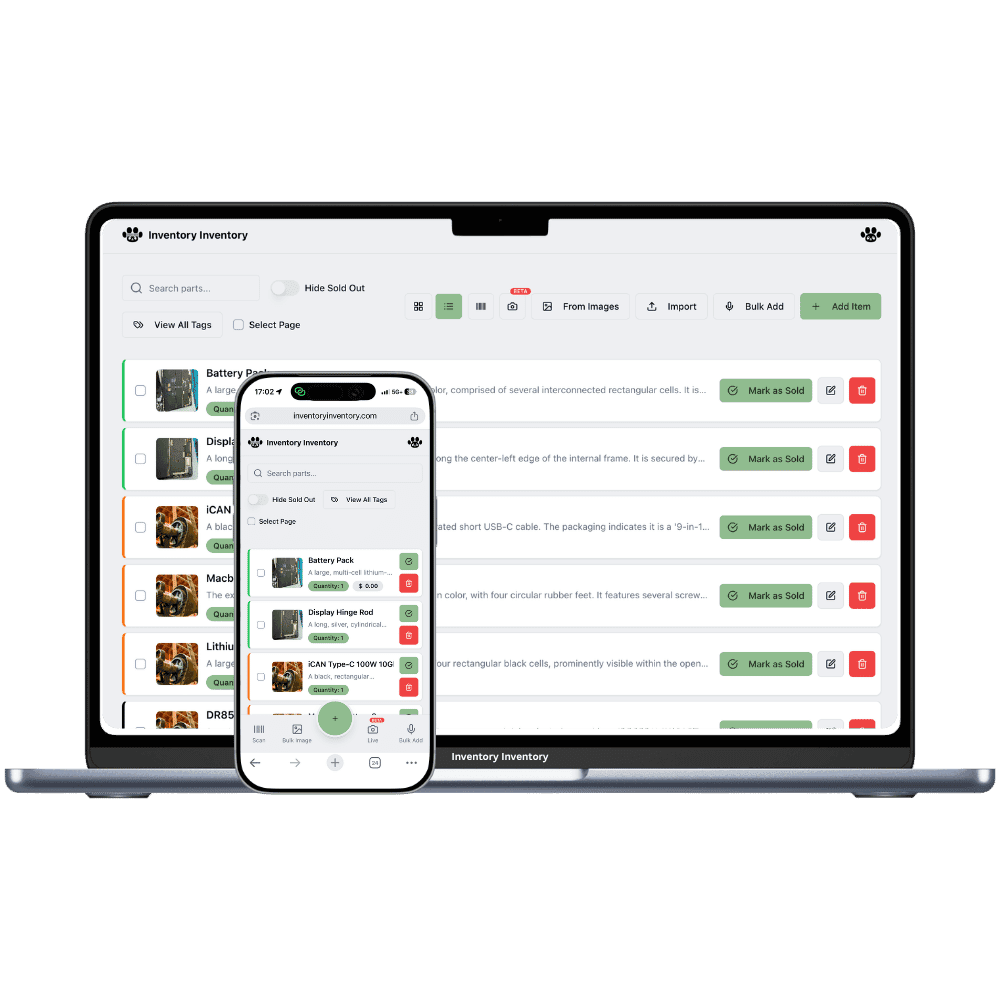
Skates in twenty half sizes, sticks in three flexes and two hands, and a floor that changes over every season. Inventory Inventory counts each one and knows where it is.
A sporting goods store counts in sizes more than in products. One skate model comes in full and half sizes across youth, junior and senior, a hockey stick comes in three flexes and two hands, and running shoes double again for men’s and women’s. The floor changes over with the season: skis and skates in November, bikes and baseball in April, and the off-season gear goes to the back. The question at the counter is always one size. Is there a 7.5 in the wide fit, and if not on the wall, is there one in the back?
Inventory Inventory has no variant grouping, so each size, flex or hand is its own item with its own barcode or SKU, which is how size runs stay honest. Name them with the model first, such as Pro Skate / Wide / 7.5, so a search lists the full run, and add Size and Season custom fields to filter by. Import the supplier’s size breakdown on Pro and above, draw the floor and the back room in Warehouse Mode, on every plan, and connect Square on Pro and above so each sale deducts the exact size within seconds.
Where the counts go wrong
One skate model, forty separate counts
There is no variant grouping, so each size and width is its own item with its own barcode or SKU. Name each with the model first so a search lists the whole run, add a Size custom field, and tick several sizes in the field filter to see which half sizes are gone before the next order.
The seasonal changeover
Twice a year the floor turns over. Fill a Season field on each item, draw the back room as its own warehouse in Warehouse Mode, on every plan, and when spring comes, filter by Season and use Move to… to send the winter gear back and bring bikes and gloves forward, with every move logged.
Core sizes that sell out mid-season
The most common sizes go first and stay gone. Set a reorder level on the sizes that sell fastest, and on Pro and above crossing it drafts a purchase order to that supplier, grouped with the other sizes from the same supplier and waiting for your approval in the bell.
The week minor hockey starts in Sudbury
Before opening on Monday, the owner of a sporting goods store in Sudbury, on the Super plan, filters the inventory by the Size field and ticks youth sizes 1 to 4 to check the skate wall. Two sizes are down to one pair, so she raises their reorder levels for the season. All morning Square deducts each sale, size by size. At 2 pm a parent asks for a junior stick, left hand, mid flex; a search for the model lists every flex and hand, and the clerk finds one on aisle 3, second floor. A part-time clerk restocks helmets with the phone at the receiving station. By closing, three skate sizes have crossed their reorder levels and one draft purchase order to the skate supplier waits for approval.
How it works
1
Enter every size as an item
Import the supplier’s size breakdown on Pro and above or scan boxes in as they arrive. Name each item with the model first, turn on Size, Season, Supplier and Reorder level fields, and generate barcodes for anything without one.
2
Map the floor and the back room
Draw the store and the back room as warehouses, make each wall of skates, sticks or shoes an aisle with its shelves as floors, and place every size where it sits so staff find the right box the first time.
3
Connect Square and plan the season
Connect Square on Pro and above so sales deduct the exact size within seconds, set reorder levels on the core sizes, and filter by Season before each changeover to see what is left to move or mark down.
Frequently asked questions
How do I track skates and shoes by size?
Enter each size and width as its own item with its own barcode or SKU. Inventory Inventory does not group variants, so a skate model in twenty sizes is twenty items. Name them with the model first, such as Pro Skate / Wide / 7.5, add a Size custom field, and the field filter lets you tick several sizes at once.
Can I track hockey sticks by flex and hand?
Yes, as separate items. Add Flex and Hand custom fields (custom fields are on every plan, Free included), name each stick with the model, flex and hand, and filter by any combination. Each counts on its own, so a left-hand mid flex selling out never hides behind the right-hand stock.
How many items will a sporting goods store need?
Count every size, flex and hand you stock. A store carrying 300 models at an average of twelve sizes needs about 3,600 items, which fits Super’s 10,000 on the current plans; Pro covers 1,000 and Free 50. Plans are priced on capacity, never per user, and an upgrade takes effect immediately.
Is there a free plan?
Yes. The Free plan holds up to 50 items with barcode scanning and custom item fields, and it needs no credit card. Upgrade only when you outgrow it.
Does it work on phones?
Yes. There are apps for iPhone and Android that turn your phone into a barcode scanner and show your live stock on the floor. Create your account on the web first, then sign in to the app with the same account.
Can I import my existing list?
Yes, on Pro and above: upload an Excel or CSV file and your columns are mapped automatically: name, quantity, price, barcode, SKU, cost, supplier, category, reorder level, expiry date and lot number. You review everything before it is saved.