Furniture and home décor stores that count every shelf
A showroom of floor models, a warehouse of boxes and a wall of small décor that sells every day. Inventory Inventory shows both buildings on one map and every count in one list.
A furniture and home décor store runs two very different inventories. The big pieces are few and expensive: a sofa on the showroom floor, three more in boxes in the warehouse, a dining set whose six chairs arrived in two shipments. The décor is the opposite, hundreds of candles, pillows and frames that sell every day and need reordering from dozens of suppliers. Customers want to know whether the sectional they are sitting on is in stock in the warehouse, how long the next one will take, and whether the matching rug comes in a larger size.
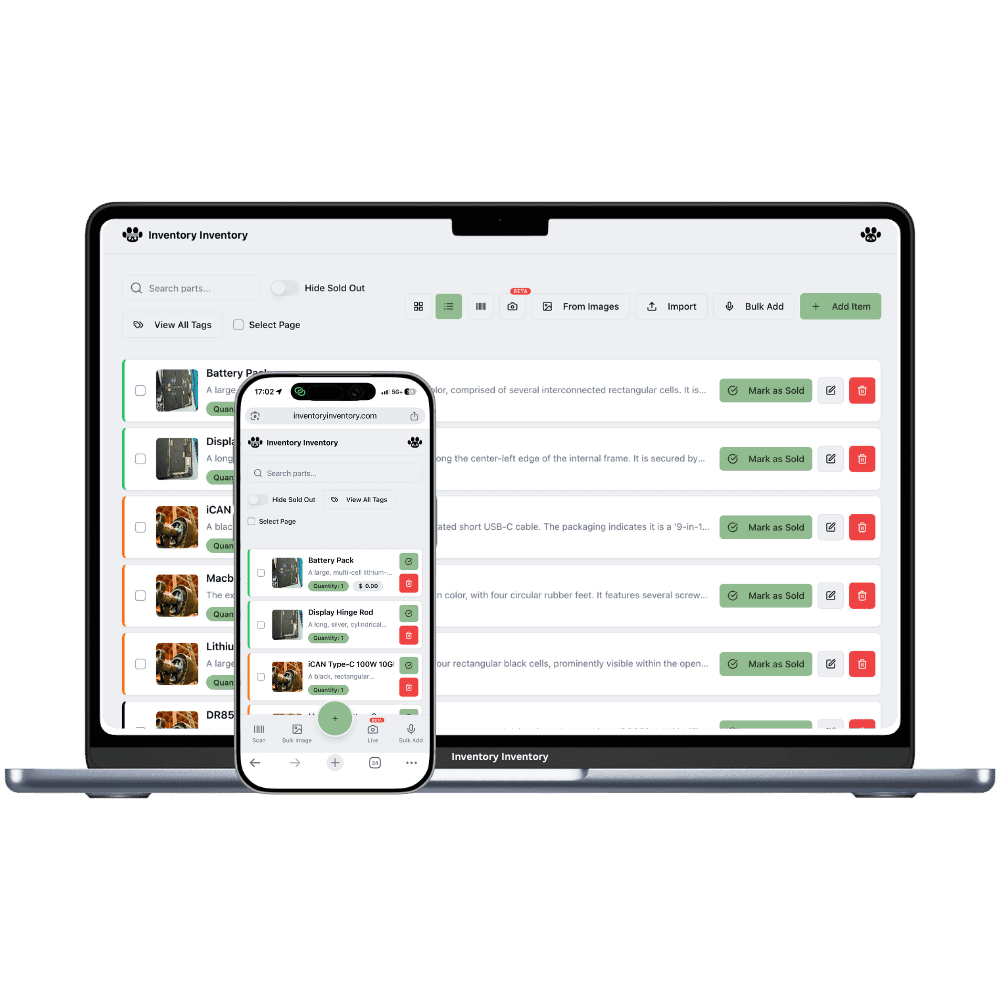
Inventory Inventory keeps both in one list. Draw the showroom and the warehouse in Warehouse Mode, on every plan, with each bay and rack as an aisle, and walk the warehouse in the 3D view to see where each boxed piece sits. Keep floor models as their own items so a display sale never hides boxed stock. On Pro and above, add pieces from a photo or import a supplier catalogue, set reorder levels on décor, and connect Square so a sale deducts within seconds. The supplier directory, on Pro and above, keeps each supplier’s lead time.
Where the counts go wrong
Floor models and boxed stock mixed up
A sofa on the showroom floor and the same sofa boxed in the warehouse are different things to sell. Add the floor model as its own item with a Condition custom field set to Floor model (custom fields are on every plan), so a sale of the display piece never reduces the boxed count, and the reverse.
A warehouse of big boxes nobody can find
Draw the warehouse in Warehouse Mode, on every plan, with its racks as aisles and each level as a floor, and place every boxed piece where it sits. The 3D view lets you walk the building, so the right box is found the first time, and every move is in the activity log.
Décor that needs reordering every week
Candles, pillows and frames sell steadily and come from many suppliers. Give each a reorder level and reorder quantity, and on Pro and above low stock drafts a purchase order grouped by supplier, while the supplier directory keeps each one’s lead time, minimum order and ordering link.
A Saturday in spring in Brandon
At 9:30 am the owner of a furniture and home décor store in Brandon, on the Super plan, checks the warehouse in the 3D view before the first delivery leaves. A customer bought the last boxed walnut dining table yesterday through Square, and the count already shows only the floor model left. At 11 a couple asks whether the grey sectional comes in the larger configuration; a search shows two boxed in the warehouse, rack B, second level. Through the afternoon, outdoor cushions and candles sell at the till and Square deducts each one. By 5 pm the linen pillows in sage cross their reorder level, and a draft purchase order to the textile supplier waits in the bell for approval.
How it works
1
Add pieces and décor
Add large pieces by photo on Pro and above or by typing, and import décor from a supplier list on Pro and above. Turn on Supplier, Cost price, Reorder level and a Condition field so floor models stay separate items.
2
Map the showroom and the warehouse
Draw the showroom and the warehouse on the map, add racks and bays as aisles with their levels as floors, and place every boxed piece. Put a scanner station at the warehouse door to count deliveries as they arrive.
3
Sell, reorder and walk the floor
Connect Square on Pro and above so every sale deducts within seconds, let reorder levels draft décor purchase orders for your approval, and use the 3D view to check what is boxed before promising a delivery date.
Frequently asked questions
How do I track floor models separately from boxed stock?
Make the floor model its own item, with a Condition custom field set to Floor model and a price of its own if it sells at a discount. The boxed stock stays on its own item with its own count. Each counts as one item of the allowance, and a sale of either one leaves the other untouched.
Can I take customer orders for furniture?
On VIP and above, sales orders record a customer’s order, reserve the stock when you confirm it, and run through picking, a label and the handover, with customer pickup as one of the options. A line short of stock records the shortfall. On Pro and Super, purchase orders track what is coming in from the supplier.
How do I track a dining set sold as a table and chairs?
Track the table and the chairs as separate items, since each arrives and sells in its own count. A shared name prefix, such as Walnut Dining / Table and Walnut Dining / Chair, lists them together in a search, and partial receiving on a purchase order, on Pro and above, handles chairs that arrive in two shipments.
Is there a free plan?
Yes. The Free plan holds up to 50 items with barcode scanning and custom item fields, and it needs no credit card. Upgrade only when you outgrow it.
Does it work on phones?
Yes. There are apps for iPhone and Android that turn your phone into a barcode scanner and show your live stock on the floor. Create your account on the web first, then sign in to the app with the same account.
Can I import my existing list?
Yes, on Pro and above: upload an Excel or CSV file and your columns are mapped automatically: name, quantity, price, barcode, SKU, cost, supplier, category, reorder level, expiry date and lot number. You review everything before it is saved.