Inventory software for

Thrift and consignment stores that count every shelf

Everything is one of a kind and arrives without a barcode. Inventory Inventory adds pieces from a photo, tags them with a code and keeps each consignor’s items easy to find.

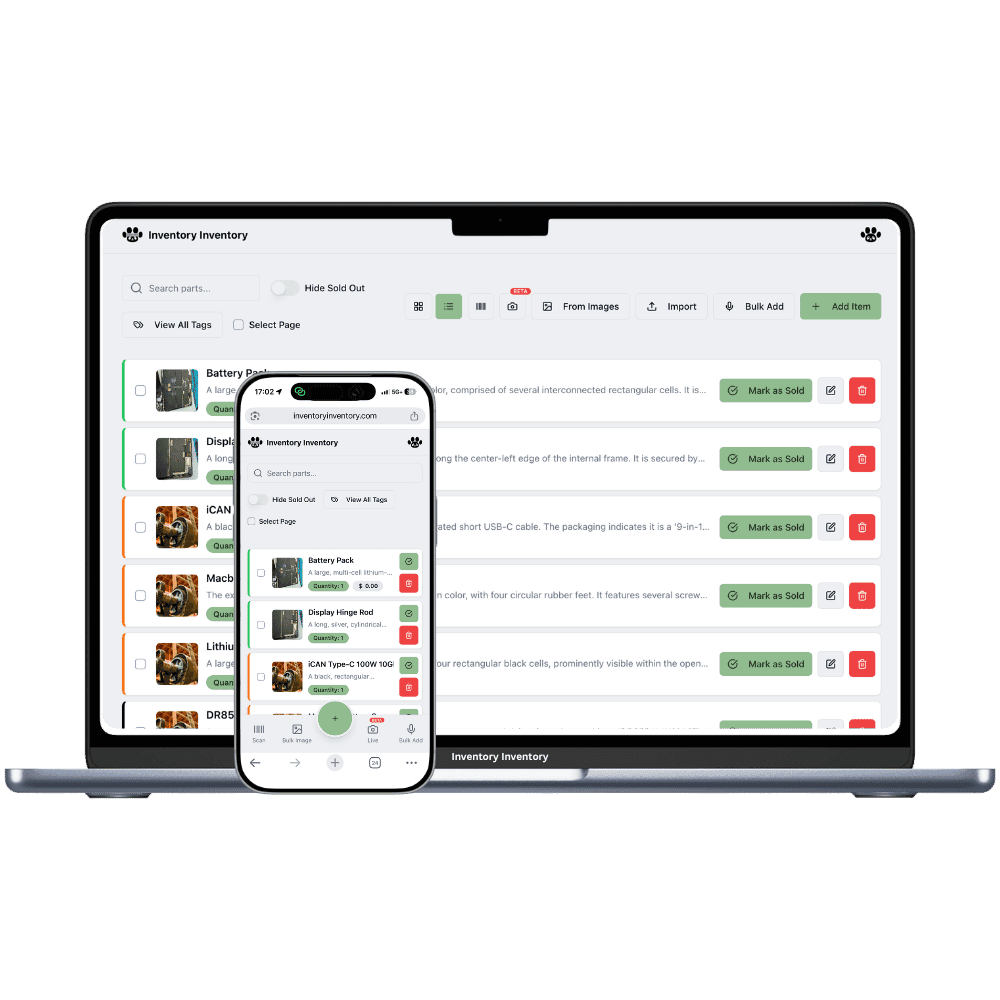
Inventory Inventory inventory software shown for thrift and consignment stores on a laptop and a phone

What thrift and consignment stores stock

  • Gently used clothing and outerwear
  • Consigned designer handbags
  • Vintage dishes and glassware
  • Records, books and board games
  • Small furniture and lamps
  • Children’s clothes and toys
  • Costumes and holiday décor in season

How thrift and consignment stores keep count

A thrift or consignment store never receives the same thing twice. Every jacket, lamp and handbag is one of a kind, none of it has a barcode, and the description is whatever the person pricing it writes on a tag. A consignment shop adds a second question to every piece: whose is it, when did it come in, and when does the agreement end? The back room fills with bags and boxes waiting to be priced, and the count that matters most is not how many, but which pieces have been on the floor too long.

Inventory Inventory is built for adding fast. On Pro and above, photograph a piece and the AI fills its name and description, or photograph each piece and add the photos together with Bulk from Images, reviewing the list before saving. Generate a 13-digit barcode for each piece and print sheets of twelve, on Pro and above, so the till scans it. Add Consignor, Intake date and Consignment end as custom fields, on every plan, and the field filter shows one consignor’s pieces or everything ending within 30 days. Square, on Pro and above, removes each piece when it sells.

Where the counts go wrong

Hundreds of one-off pieces with no barcode

Nothing in a thrift store arrives with a code. On Pro and above, add each piece from a photo or in bulk from images, generate a 13-digit barcode for it and print a single tag or a sheet of twelve as a PDF. Each piece is one item, so plan size matters: Pro covers 1,000 items and Super 10,000 on the current plans.

Whose piece is it?

Add a Consignor custom field, on every plan, and the five most recent names are suggested as you type. Tick a consignor in the field filter to see every piece of theirs still on hand, which is what a consignor asks about when they call, and the activity log shows when each piece sold.

Pieces that have overstayed

Add a Consignment end date field and the field filter offers Expired and Expires within 30 days, so the pieces due back to their owner or due for a markdown are one tick away. On Pro and above, an AI Alert written about that field can remind you, since date rules run daily.

Intake day in Guelph

Tuesday is intake day at a consignment store in Guelph. At 10 am a consignor drops off fourteen pieces. The owner, on the Super plan, photographs them with Bulk from Images, checks the review screen, and gives each piece the consignor’s name, today’s intake date and a Consignment end date ninety days out. She prints a sheet of twelve generated barcodes and two singles, tags each piece and hangs them on the rail. At noon a regular buys two of the jackets through Square and both leave the count within seconds. At 3 pm another consignor calls; a tick on her name in the field filter shows six pieces still on the floor. Before closing, the Expires within 30 days filter lists the pieces to mark down next week.

How it works

1

Set up your fields

Turn on custom fields for Consignor, Intake date, Consignment end, Condition and Department, on every plan. A Department field with values such as Women’s, Housewares and Books filters the floor without spending tags.

2

Photograph, tag and hang

On Pro and above, add each piece by photo or in bulk from images, then generate barcodes and print tags in sheets of twelve. Draw the shop in Warehouse Mode, on every plan, so racks and shelves hold their pieces.

3

Sell and review the floor

Connect Square on Pro and above so each piece leaves the count when it sells, and filter by Consignment end each week to see what is due back to its owner or due for a markdown.

Frequently asked questions

How do I track consignment inventory by consignor?

Add a Consignor custom field, on every plan, and fill it on each piece. The field filter shows one or several consignors’ pieces still on hand, and the activity log shows when each piece sold. Payouts to consignors are not calculated for the time being, so keep those in your own records.

Is there a quick way to add hundreds of one-off items?

On Pro and above, photograph each piece and the AI fills its name and description, or use Bulk from Images to add many at once with a review screen before anything is saved. Then generate a 13-digit barcode for each and print tags as a PDF, a sheet of twelve at a time.

How many items does a thrift store need?

Every piece is one item, so count what you hold at once, not what you sell in a year. A sold piece stays in the list at zero until it is deleted, which only the owner can do, so clear sold pieces from time to time. Pro covers 1,000 items, Super 10,000 and VIP 50,000 on the current plans.

Is there a free plan?

Yes. The Free plan holds up to 50 items with barcode scanning and custom item fields, and it needs no credit card. Upgrade only when you outgrow it.

Does it work on phones?

Yes. There are apps for iPhone and Android that turn your phone into a barcode scanner and show your live stock on the floor. Create your account on the web first, then sign in to the app with the same account.

Can I import my existing list?

Yes, on Pro and above: upload an Excel or CSV file and your columns are mapped automatically: name, quantity, price, barcode, SKU, cost, supplier, category, reorder level, expiry date and lot number. You review everything before it is saved.

More than one store?Multi-location inventory for thrift and consignment stores

Features thrift and consignment stores use

Ready to try it?

Start free with 50 items, no credit card: scan or type them in, or import your spreadsheet on Pro and above.

Another kind of shop? See every store type.