Grocery and convenience stores with more than one location
Two corner stores sell the same milk at different speeds and throw out different dates. Locations, on VIP and above, keep each store’s count, lots and price separate and show the total together.
Running grocery and convenience stores across locations
The second store is where a grocery count stops adding up. The busier location sells through its milk by Wednesday while the quieter one is still holding last week’s dates, drinks are bought on one invoice and split between two back rooms, and one shared spreadsheet cannot tell you how much of either store’s yogurt expires this weekend. Prices drift too: a store near a campus and one on a residential street rarely charge the same for a cold drink or a loaf of bread.
Locations, on VIP and above, give each store its own record of the same product with its own quantity, its own lots and best-before dates, its own reorder level and its own price, while the inventory list groups them by barcode and shows the total. Map each store to its own Square location so a sale at one never lowers the other’s count. Items tracked by expiry lot cannot be transferred between stores yet, so receive each store’s share as its own lot.
What differs at each location
Best-before dates, store by store
Each store’s record keeps its own lots, so the quieter store’s older milk never hides behind the busier store’s fresh delivery. With Locations on VIP and above, the Expiry date on each record shows that store’s earliest lot, and a Square sale at one store takes that store’s soonest date only.
Cold drink prices
A price saved on one location’s tab becomes that store’s price in Square through Square’s price by location, on VIP and above. The All locations tab sets one shared price, and because each store maps to its own Square location, each sale comes off the store that made it.
Reorder levels and deliveries
The campus store may reorder energy drinks at six cases while the residential store waits until two. Reorder levels are set per location with Locations on VIP and above; purchase orders are drafted for the whole workspace, grouped by supplier, and each store records its own share of a dairy delivery as its own dated lot.
A corner store in Regina and a second in Moose Jaw
On a Friday in June the owner, on the VIP plan, gets one beverage delivery for both stores. Thirty cases of water and sports drinks, which carry no lots, go to the Regina back room, and the owner opens each item, chooses Transfer to another location, and sends twelve cases to Moose Jaw; both records change and the transfer is logged. The milk is different: it is tracked by best-before date, so each store receives its own crates as its own lot. Moose Jaw sells through its own Square location at its own drink prices, and each sale comes off Moose Jaw’s count, soonest date first. On the inventory list, the water shows once with both stores and the total.
How Locations works
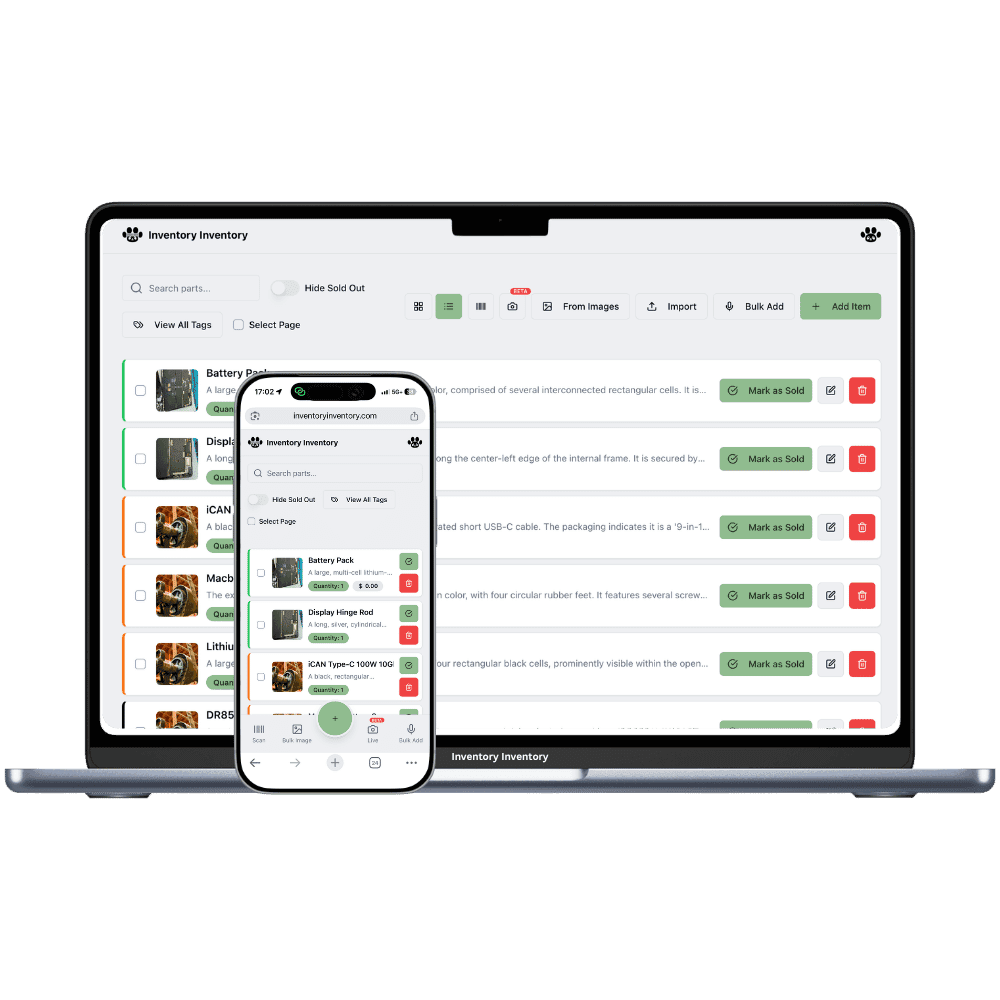
Each location keeps its own record for every product it stocks, with its own quantity, and the item list shows those records together with the total across locations.
Moving stock from one location to another is “Transfer to another location” in the item editor: both counts change together and the move is logged.
Each location maps to its own Square location on the current plans, so a sale in one store deducts from that store’s stock only.
Locations are included on VIP and above: 2 on VIP, 5 on Luxury and 10 on Space on the current plans.
Frequently asked questions
Can I move dated stock like milk between my stores?
Not yet for items tracked in lots. Transfer to another location, on VIP and above, moves untracked stock such as cases of water, chips or batteries from one store’s record to the other’s and logs it. Items tracked by expiry date or lot number cannot be transferred for the time being, so receive each store’s share of a dairy or bakery delivery as its own lot on that store’s record.
Does each store have its own expiry dates?
Yes. With Locations on VIP and above, each store keeps its own record of a product with its own lots, so its quantity, best-before dates and earliest expiry are its own. A Square sale at one store deducts the soonest date from that store only. The inventory list groups the records and shows each store’s quantity and the total.
Do my cashiers at each store need their own logins?
Team members, on Super and above, sign in with Google or Apple plus your business join password, and permissions such as Scan items are set per person for the whole account, not per store. What is tied to a store is the scanning device: each phone or barcode gun is approved at a scanner station, so the counter gun at one store scans there only.
Is there a free plan?
Yes. The Free plan holds up to 50 items with barcode scanning and custom item fields, and it needs no credit card. Upgrade only when you outgrow it.
Does it work on phones?
Yes. There are apps for iPhone and Android that turn your phone into a barcode scanner and show your live stock on the floor. Create your account on the web first, then sign in to the app with the same account.
Can I import my existing list?
Yes, on Pro and above: upload an Excel or CSV file and your columns are mapped automatically: name, quantity, price, barcode, SKU, cost, supplier, category, reorder level, expiry date and lot number. You review everything before it is saved.